
Wydely resources
Learn Wydely.
Put it to work.
Product guides, setup steps and practical answers for the work your team does on WhatsApp. Choose a starting point and keep moving.
Choose your task
What would you like to do?
Understand the platform
See how conversations, contacts and campaigns fit together.
Set up your first workflow
A visual account-to-first-workflow guide: dashboard areas, contacts, templates, four workflow routes and a controlled test.
Resolve a practical question
Use concise guides for templates, delivery, access and billing.
Connect your own systems
Review project API keys, supported resources and the access your integration needs.
Get to know the workspace
See where the next step lives.
Home helps you review setup. Chats, Contacts, Message templates and Campaigns hold the work your team does next. Use the getting-started guide to find the right area and follow a practical first test.
Actual product interface with fictional sample data. Available features and controls depend on your account and permissions.
 Your workspace · ChatsProduct UI · sample data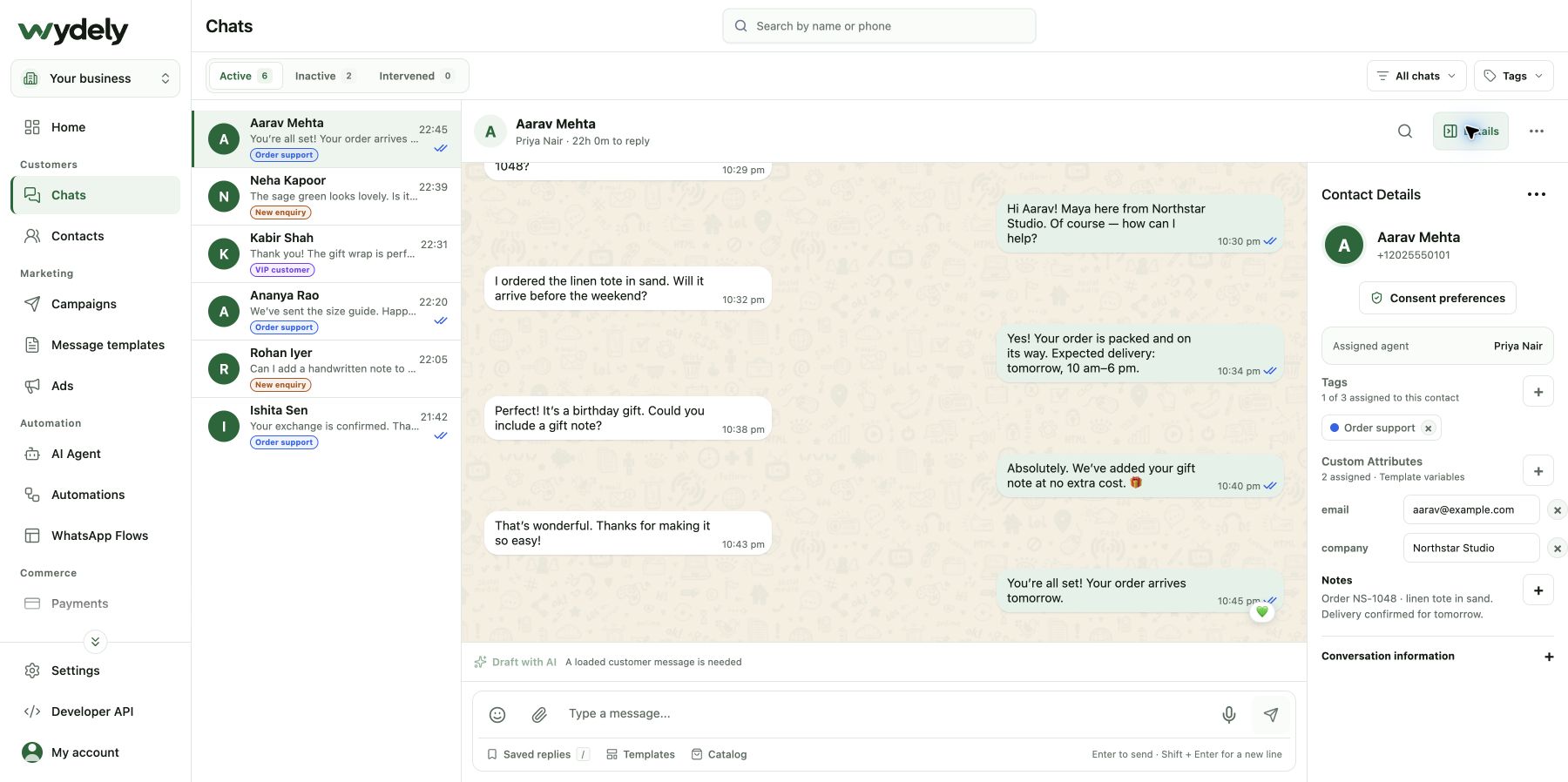
Product guides
Find the tool behind the task.
Conversations & customers
Work together in a shared inbox Organize contacts and audiences Prepare your business AI assistant Explore chatbot workflowsMore ways to prepare
Small tools. Practical context.
Free WhatsApp tools
Create a link, QR code or website widget and browse message examples.
The Wydely blog
Read guides on campaign planning, customer communication and WhatsApp workflows.
Pricing and billing
Compare plans and understand the difference between subscription and message usage.
Team access and data responsibilities
Prepare permissions, protect credentials and review the policies before connecting your business.
Make it work for your business
Have a workflow in mind?
Bring it to a product conversation and see which parts of Wydely fit your team.