D2C & E-commerce
Prepare a campaign for an interested audience.
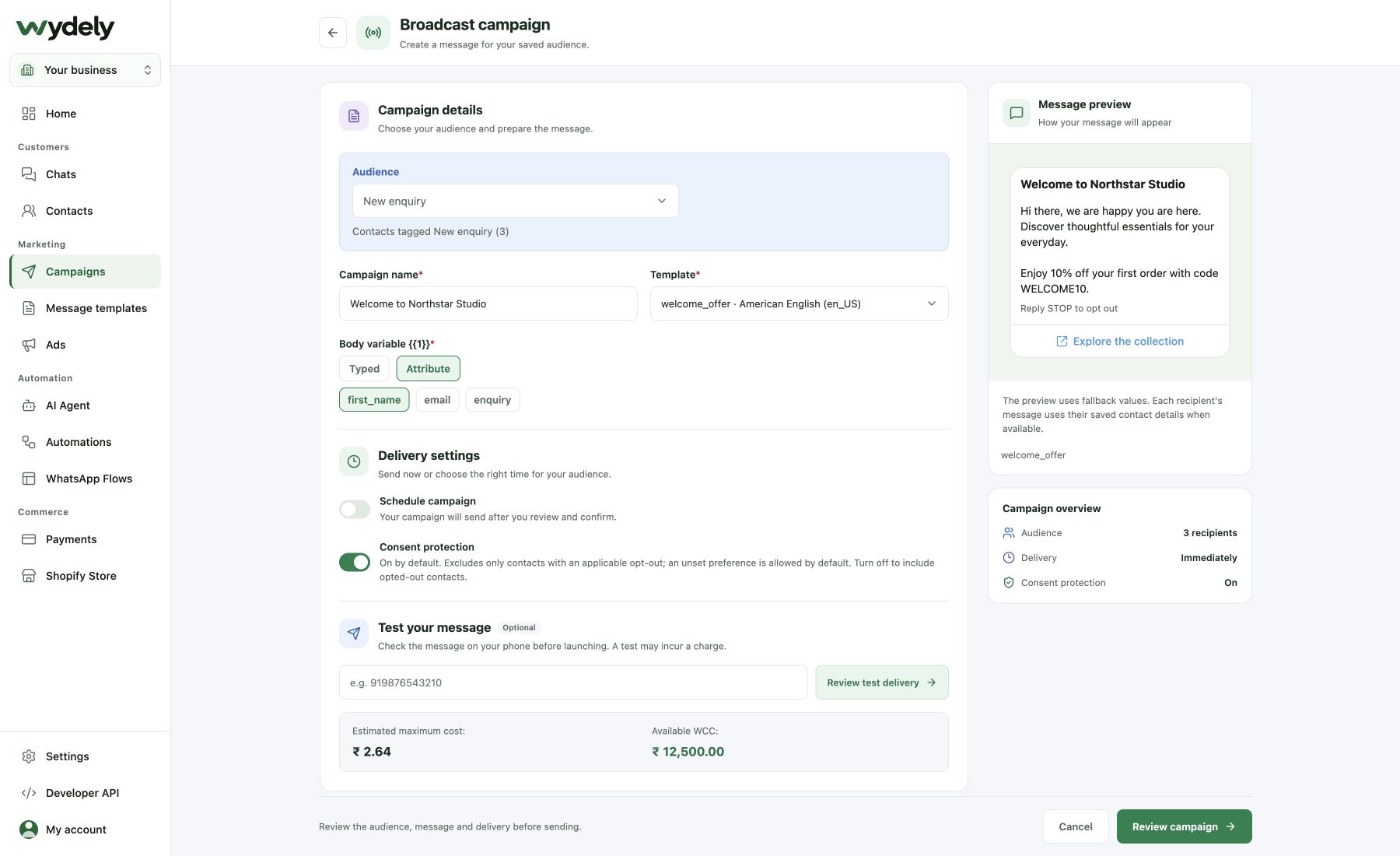
Select a tagged audience, check template variables and preview the message. Use promotional campaigns for customers who have opted in.
Campaigns Explore D2C workflowsWhatsApp solutions by industry
An appointment preference. A collection update. An admissions enquiry. See the Wydely tools behind each task, then choose the workflow that fits your team.
Different tasks. Real product screens. One connected workspace.
Your industry. Your starting point.
Each example connects an industry need to an actual Wydely screen. Open an image to inspect the interface or follow the guide for your team.
D2C & E-commerce
Select a tagged audience, check template variables and preview the message. Use promotional campaigns for customers who have opted in.
Campaigns Explore D2C workflowsLifestyle & Fashion
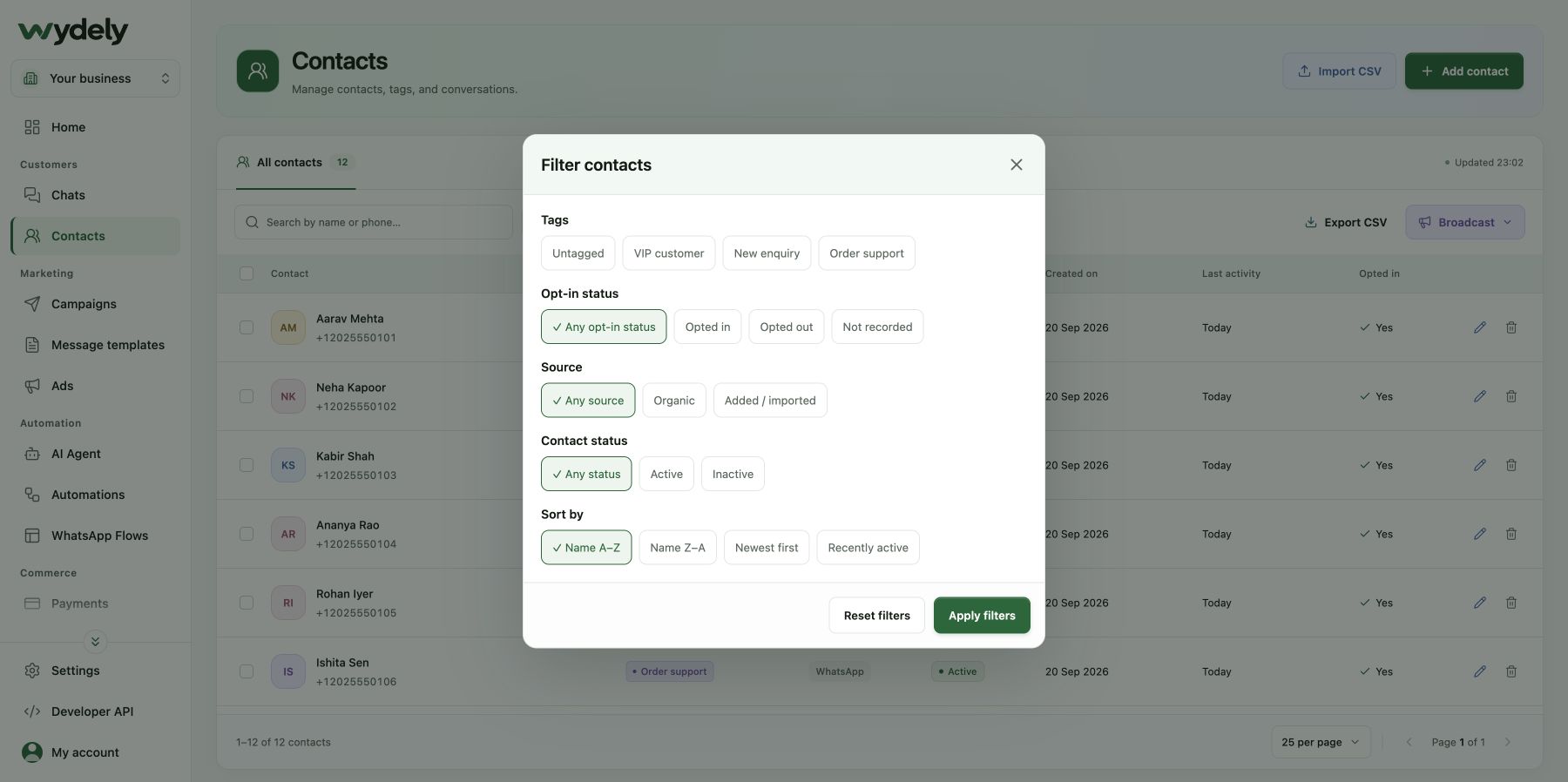
Use tags and contact filters to organize customer interests. Check consent before preparing a collection update for a relevant group.
Contacts & filters Explore fashion workflowsEducation & Learning
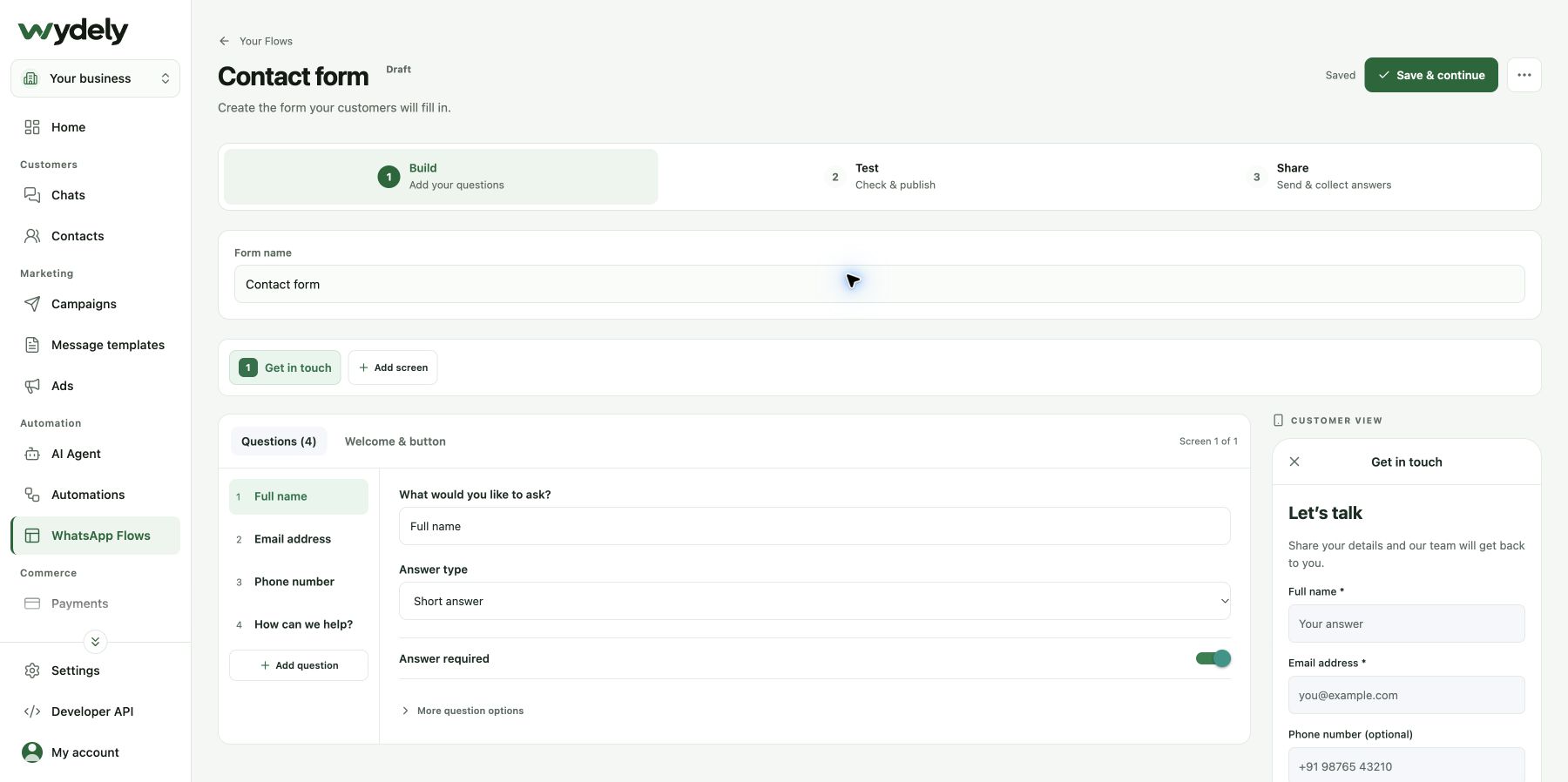
Build questions for course interest and a suitable follow-up time. An admissions teammate confirms course requirements and the next step.
WhatsApp Flows Explore education workflowsTravel & Hospitality
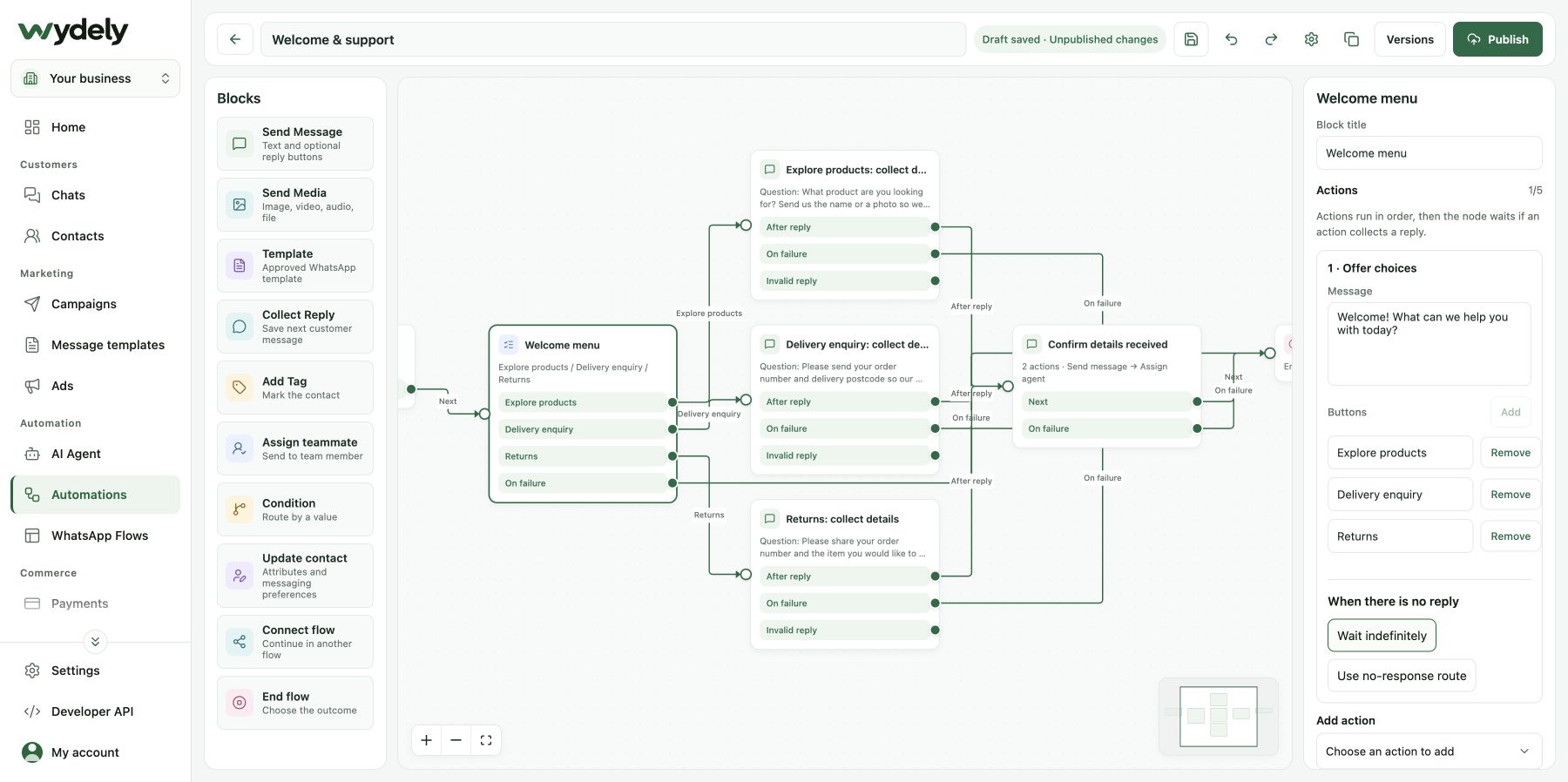
Arrange reply choices for the enquiry types your team handles. Define the information source and handoff before publishing an automation.
Visual automations Explore travel workflowsFintech & BFSI
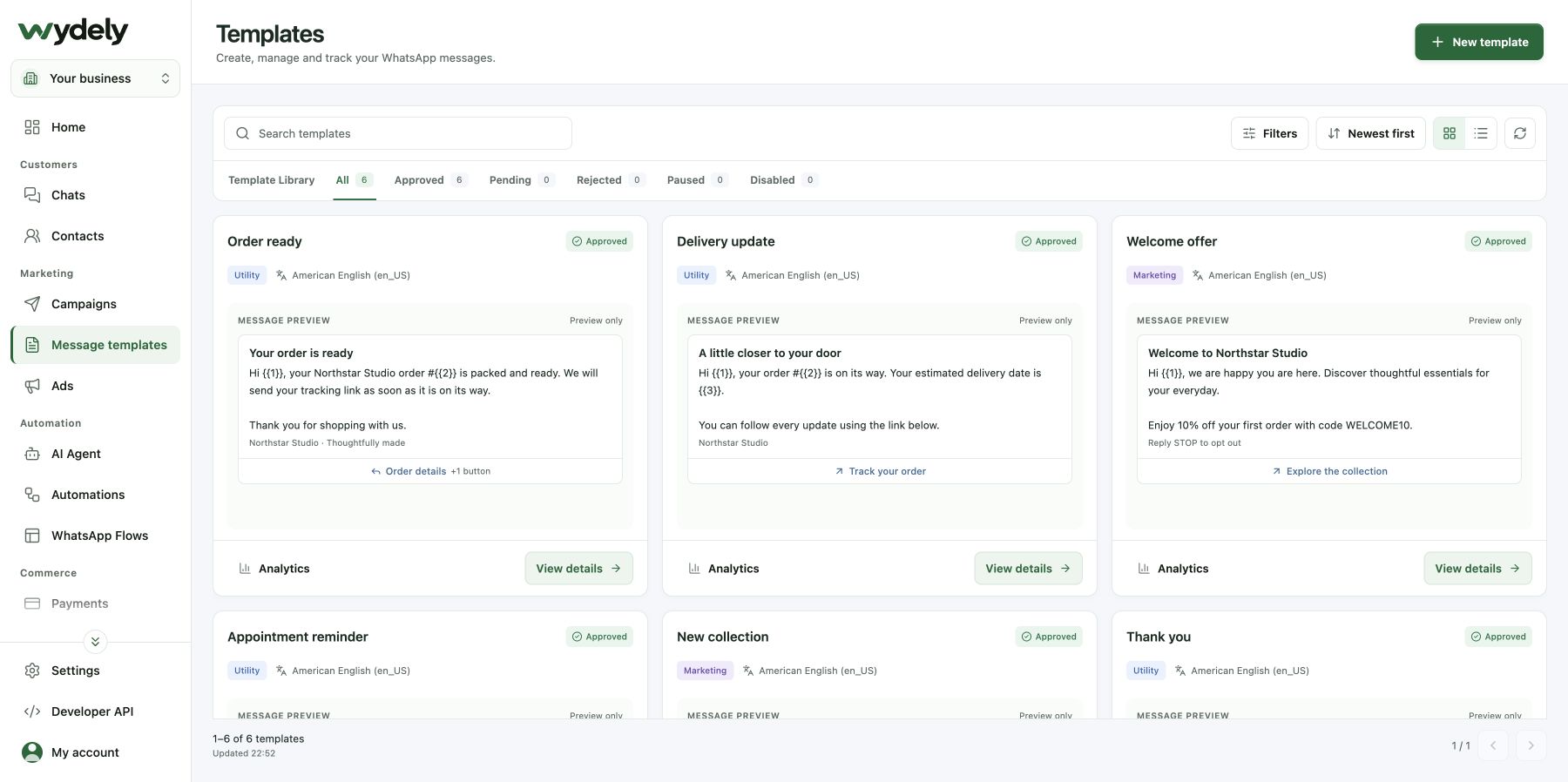
Review wording, language and template status before using an update. Your team controls the source information, permissions and approvals.
Message templates Explore fintech workflowsHealthcare
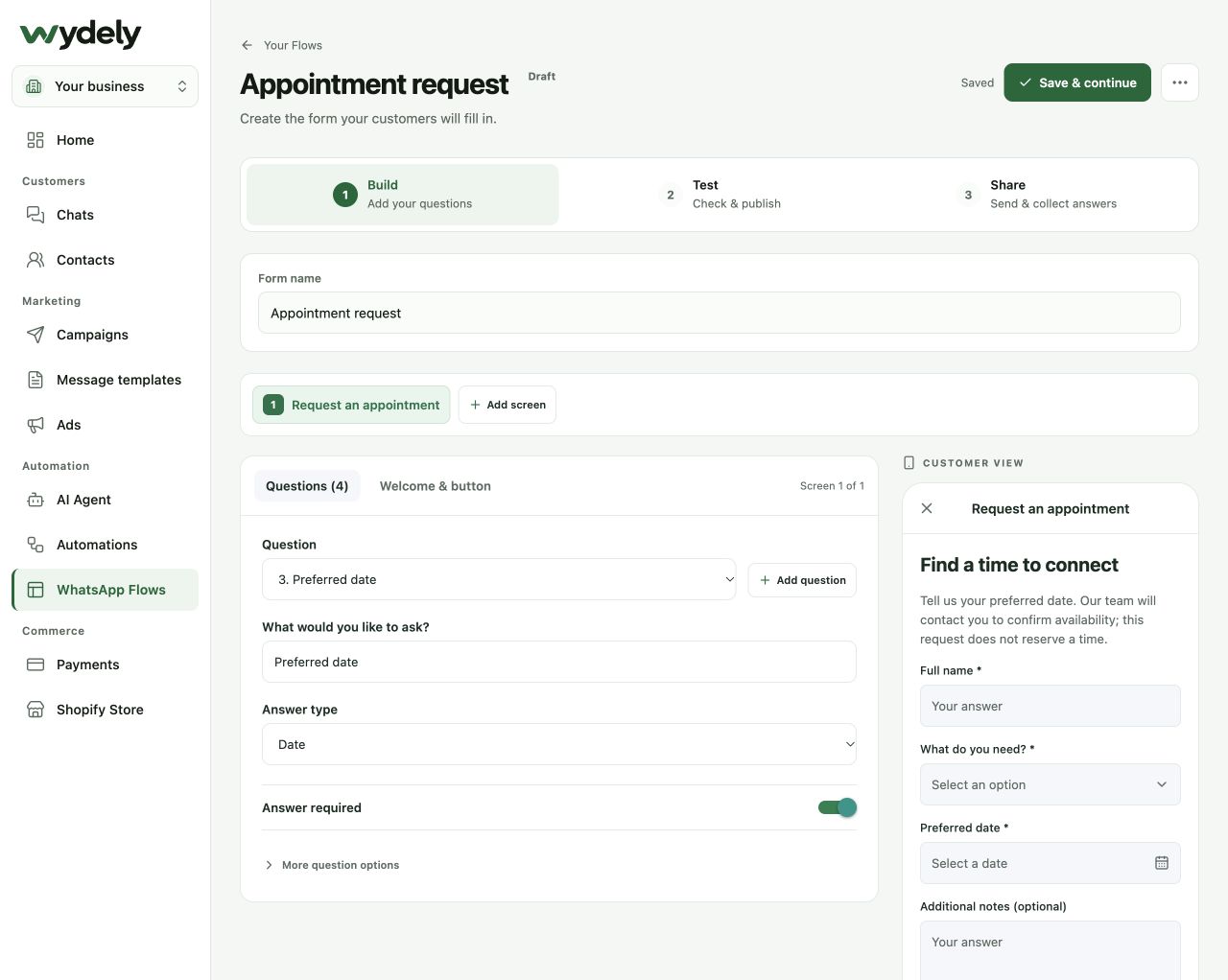
Ask for the service and preferred date inside WhatsApp. The front desk checks availability and confirms the appointment through your process.
Appointment WhatsApp Flow Explore healthcare workflowsThese are actual interface captures with sample data. They show the tools, rather than verified messaging results or live template approvals. Forms and automations must be configured and tested for your business.
Start with one process
Choose the first customer need. Add the information, ownership and review steps that make the next reply useful.
Choose one enquiry, update or follow-up your team handles regularly.
Define the teammate, source information and any required approval.
Review account setup, message wording, permissions and a sample customer journey before rollout.
Make the next step concrete
Bring a real customer enquiry or update to the demo. We’ll explore the inbox, campaign or workflow tools involved.
See how Wydely can support your team’s messaging workflow. Review account setup and requirements in a demo.

Your WhatsApp workspace
Every hello deserves a next step.
One workspace for the conversations your team handles every day.
Let’s explore it together
Tell us what your team handles today. We’ll explore the relevant tools and setup together.
Messaging depends on account eligibility, approved templates and applicable WhatsApp policies.