Choose who receives it
Use contact selections, tags and attributes to prepare an audience that matches your message.
Choose your audience and approved template, map contact attributes into the message, then review its preview, timing and consent settings. Keep campaign planning and recipient outcomes connected.
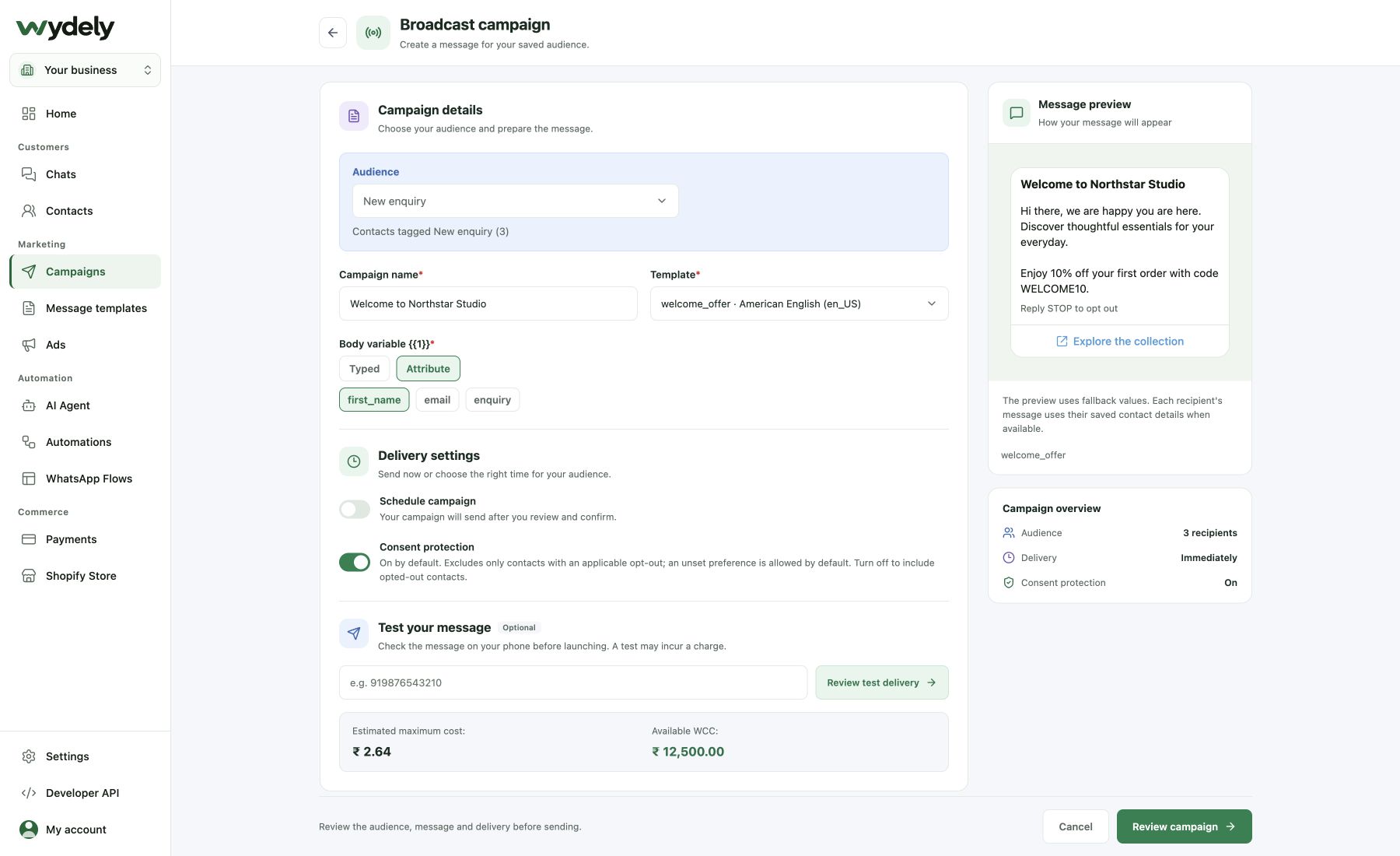
Put the audience, template and timing together in one campaign workflow.
Use contact selections, tags and attributes to prepare an audience that matches your message.
Choose an approved template, map relevant contact fields and set the campaign’s send time.
Review sent, delivered, read and failed statuses alongside recipient activity. Use reply reporting where available.
Inspect message statuses and recipient activity alongside the template. Use the available outcomes to investigate delivery and plan follow-up.
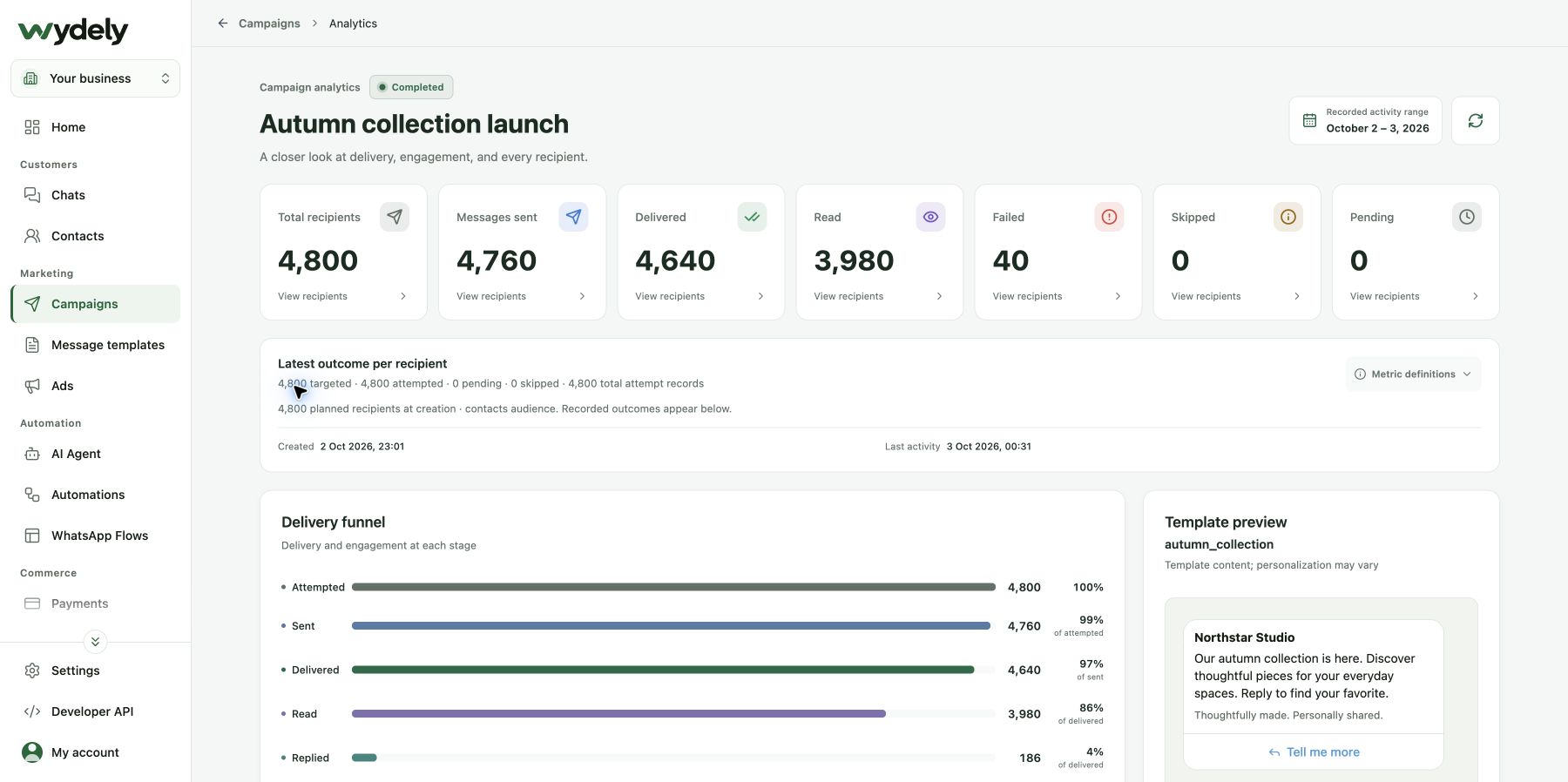
An example campaign for customers who asked to hear about a new collection.
Select customers with the relevant interest and messaging permission. Check your account’s messaging limits.
Use an approved template and review the content, supported media and personalized fields.
Choose the send time. Inspect recipient outcomes and investigate failures before planning another campaign.
We can help you review audience size, templates and sending requirements before your first campaign.
Review your requirementsReview the details before choosing your workflow.
Explore plansCampaign volume is subject to your plan, available credits and WhatsApp account limits. Review those limits before scheduling a campaign.
Supported templates can use variables mapped to relevant contact details. Review the field values before sending.
Campaign reporting covers message outcomes and recipient activity. Delivery and read receipts can arrive later; these metrics alone do not establish revenue or return on investment.
Review a real audience, template and campaign workflow in a guided demo.
See how Wydely can support your team’s messaging workflow. Review account setup and requirements in a demo.

Your WhatsApp workspace
Every hello deserves a next step.
One workspace for the conversations your team handles every day.
Let’s explore it together
Tell us what your team handles today. We’ll explore the relevant tools and setup together.
Messaging depends on account eligibility, approved templates and applicable WhatsApp policies.