Bring contacts together
Add individual contacts or import a CSV. Keep names, numbers and useful customer details in one place.
Bring names, numbers and customer details into one directory. Add tags, review messaging preferences and filter the list before choosing who to contact.
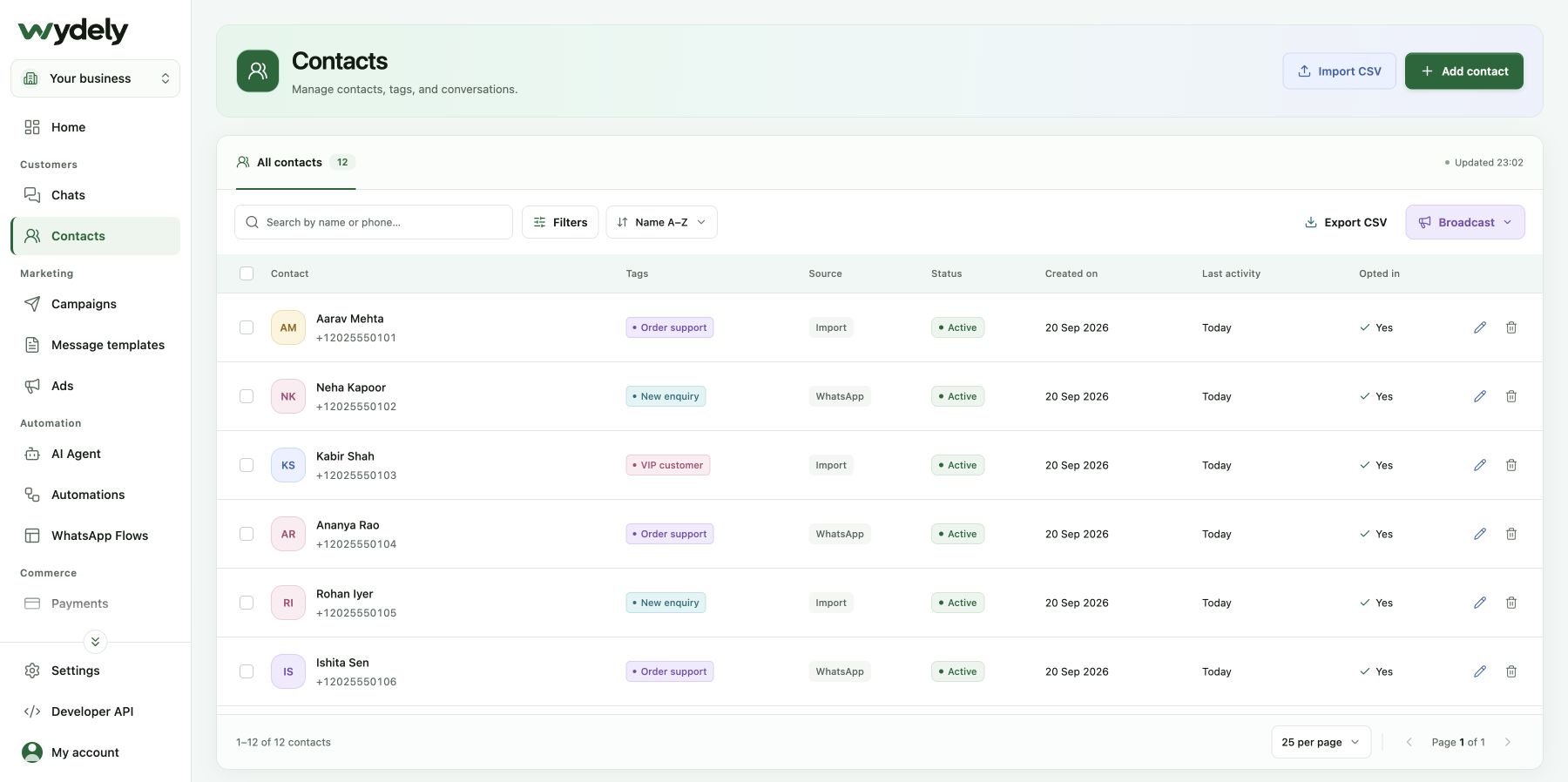
Bring your customer information together before deciding what to send and who should receive it.
Add individual contacts or import a CSV. Keep names, numbers and useful customer details in one place.
Use tags and custom attributes to group customers by interest, source or the information your team records.
Search and filter contacts, review opt-in status and select the people for a focused campaign.
Use tags, opt-in status, source and activity to review the contacts behind your audience. Importing a list does not create consent.
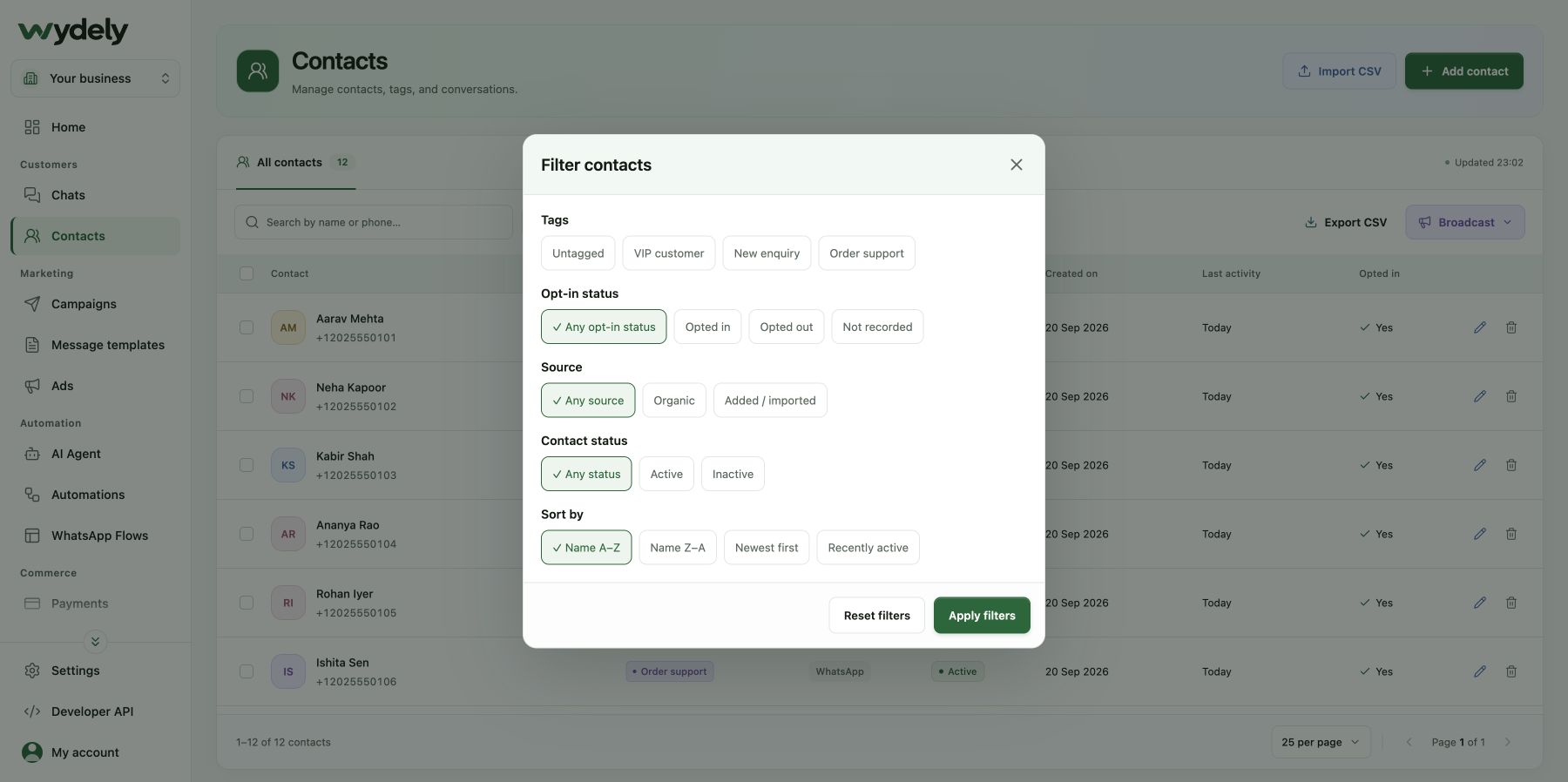
An example for a team following up with people interested in a particular service.
Import your contact list or create individual records. Review the fields and phone numbers before saving.
Add a relevant tag or attribute and keep the customer’s messaging preference visible.
Filter the directory, review the matching contacts and prepare a campaign using an appropriate template.
Bring a sample of the fields you keep today. We can show how contact details, tags and attributes fit your business.
Review your requirementsReview the details before choosing your workflow.
Explore plansThe contact workspace includes CSV import and export. Available actions depend on your access, account setup and plan limits.
A tag groups contacts with a shared label. An attribute stores a detail, such as an interest or customer reference. Use them together to keep audiences useful.
No. Importing a contact does not establish consent. Your business must have the required permission to contact customers and must respect their opt-outs.
Walk through your fields, audience filters and follow-up process with our team.
See how Wydely can support your team’s messaging workflow. Review account setup and requirements in a demo.

Your WhatsApp workspace
Every hello deserves a next step.
One workspace for the conversations your team handles every day.
Let’s explore it together
Tell us what your team handles today. We’ll explore the relevant tools and setup together.
Messaging depends on account eligibility, approved templates and applicable WhatsApp policies.