
Route service questions
Collect a broad enquiry category and assign the conversation to the appropriate service teammate. Keep identity checks in your approved process.
Shared inboxWhatsApp for Fintech & BFSI
Organize customer enquiries and routine service coordination on WhatsApp. Keep ownership clear, share approved information and bring in a qualified teammate when a question needs review.
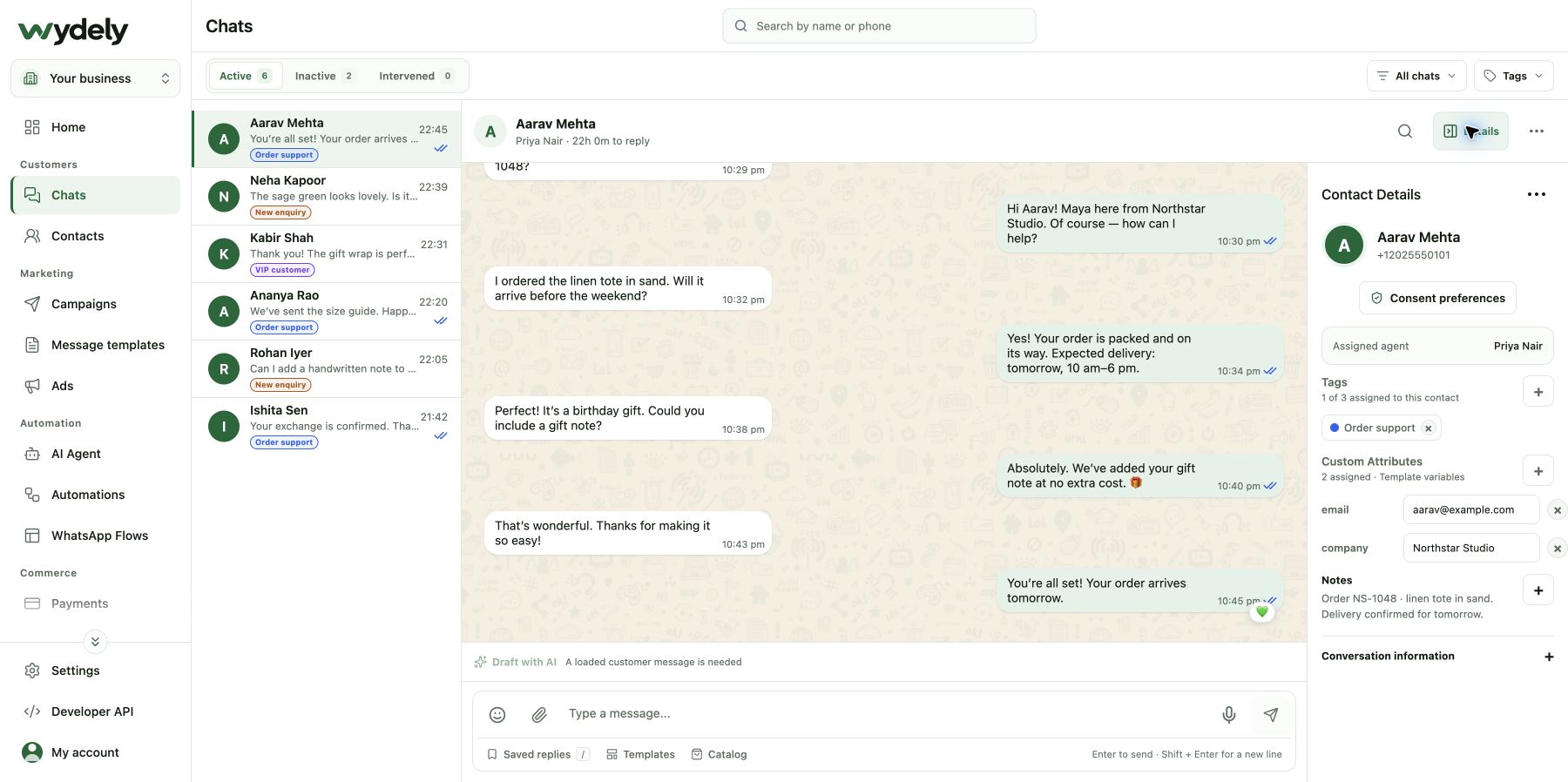
The shared inbox places the conversation, contact context and assigned teammate in one view. Keep internal coordination in private notes and sensitive processes in your approved systems.
Choose your first use case
Connect a specific customer need to the tool your team will use.
Collect a broad enquiry category and assign the conversation to the appropriate service teammate. Keep identity checks in your approved process.
Shared inboxUse reviewed message templates for routine process updates. Confirm the recipient and avoid including sensitive account data in a promotional campaign.
Message templatesUse tags and contact attributes for service interests or follow-up status. Collect only details your team needs for this communication.
Contact managementA practical starting point
Example workflow · configure and test it for your team before using it with customers.
Ask which service the customer needs help with, without requesting account credentials.
Route the conversation to a trained teammate and record the next action privately.
The teammate completes any identity or account-specific work in the organization’s authorized system.
Before you start
Use these workflows for enquiries and service coordination. Financial advice, eligibility and account decisions belong with qualified staff and your organization’s approved systems.
Ask for the minimum information needed for the enquiry. Keep passwords, payment credentials and sensitive account records out of marketing flows; review your access and privacy requirements before setup.
Keep exploring
Make the next step concrete
Show us how your team handles enquiries today. Explore the account requirements and the tools that fit your next step.
See how Wydely can support your team’s messaging workflow. Review account setup and requirements in a demo.

Your WhatsApp workspace
Every hello deserves a next step.
One workspace for the conversations your team handles every day.
Let’s explore it together
Tell us what your team handles today. We’ll explore the relevant tools and setup together.
Messaging depends on account eligibility, approved templates and applicable WhatsApp policies.