Skip to content
Marketing · Message templates

Prepare once.
Make each message useful.

Keep recurring customer messages organized by purpose, language and approval status. Preview the wording and variables before choosing a template for a conversation or campaign.

  • Template library
  • Language & status
  • Personalized fields
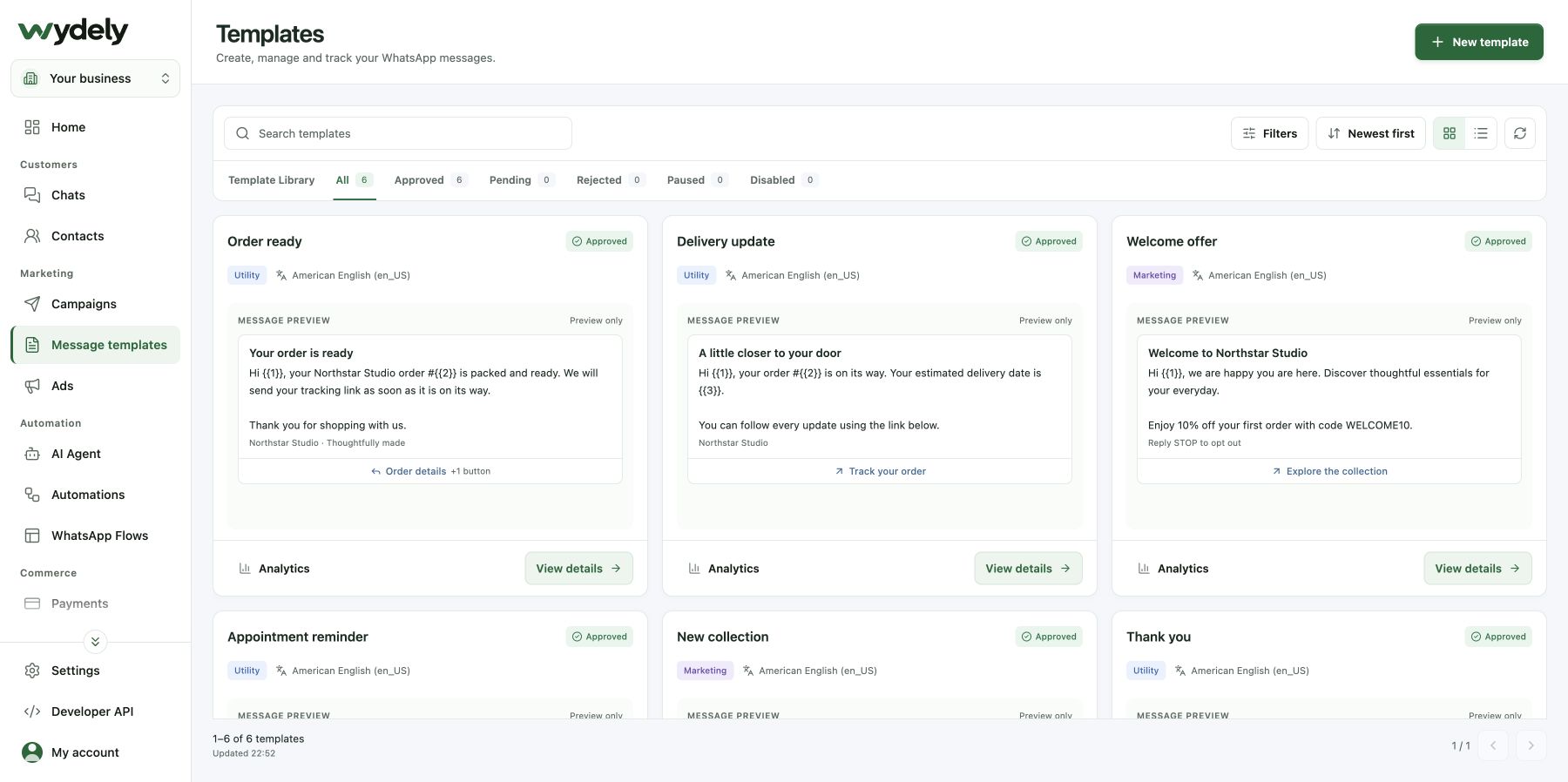
Message templatesWydely product UI · sample data
Wydely template directory showing sample message cards, category, language, approval status and previews.
Browse reusable messages and inspect the details behind each template. Approval badges in this demo are sample data.
What your team can do

Useful messages deserve a clear process.

Move from an idea to a reviewed template without losing track of the message’s purpose.

Choose a starting point

Browse template examples or prepare a message for your own customer update, promotion or authentication use case.

Review the details

Check language, category, variables and supported media or buttons before submitting a template.

Keep approval visible

Review the template’s status and any available rejection details. Use approved templates where WhatsApp requires them.

A closer look

Understand the message before using it.

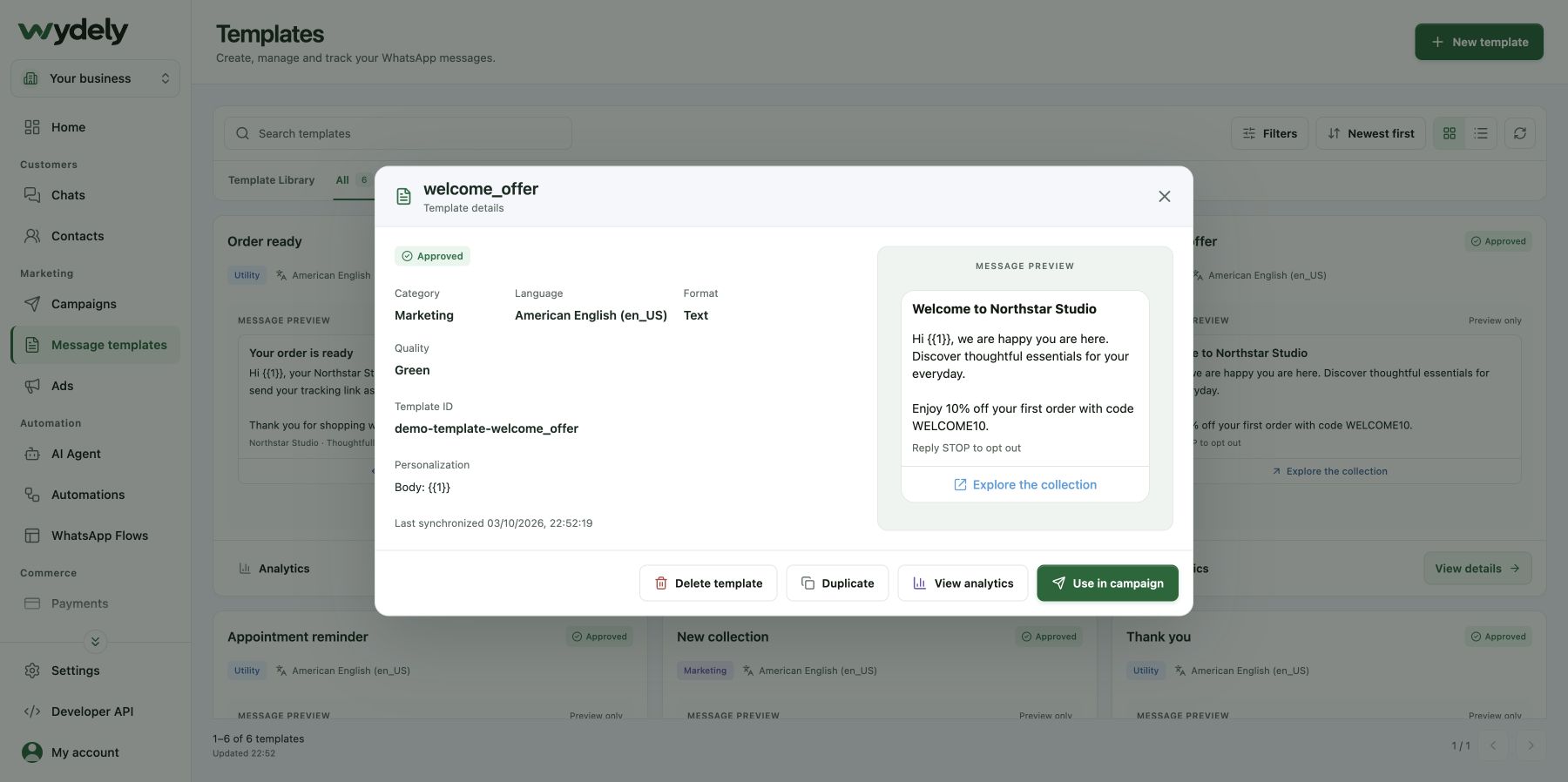
Open a template to inspect its category, language, variables and message preview before continuing into a campaign.

  • Check the wording and purpose.
  • Review variables and supported buttons.
  • Use the account’s actual approval status.
A closer lookWydely product UI · sample data
Wydely template details dialog showing a sample Marketing template, language, format, variable and preview.
Wydely product UI · sample data. Open the capture to inspect the screen.
Example workflow

Prepare an order update your team can reuse.

An example of taking a recurring customer message through the template workflow.

A useful next step
Your team has a reusable message with a clear purpose, language and approval status.
  1. 01

    Define the customer need

    Decide what the update should tell the customer and which message category fits its purpose.

  2. 02

    Write and review

    Add the wording, supported components and sample variables. Check that every field matches the message.

  3. 03

    Check approval and use

    Submit for review, monitor its status, and select the approved template in your campaign or conversation workflow.

Make it work for your business

Bring one recurring message to the demo.

We can review the wording and the fields your workflow can actually supply, then show the template process.

Review your requirements
A few useful answers

Know what to expect.

Review the details before choosing your workflow.

Explore plans
Is a library example already approved for my account?

A library example is a starting point. Your account’s template must meet Meta’s requirements and receive the required approval before use.

Can I include images or buttons?

Supported formats include different media and button options. Availability depends on the template type and WhatsApp requirements; review the format you need in a demo.

Can Wydely guarantee approval?

Template approval and category decisions belong to Meta. Wydely helps you prepare and review templates, but cannot guarantee the outcome.

See Wydely in action

Make your next customer message easier to reuse.

Walk through template preparation, approval status and personalized fields.