Build a visible journey
Arrange messages, media, templates and connected branches on a visual canvas. Start from an available example or your own process.
Build the conversation your customers need. Arrange messages, reply choices and branches visually, collect useful details and bring in the right teammate when it is time to follow up.
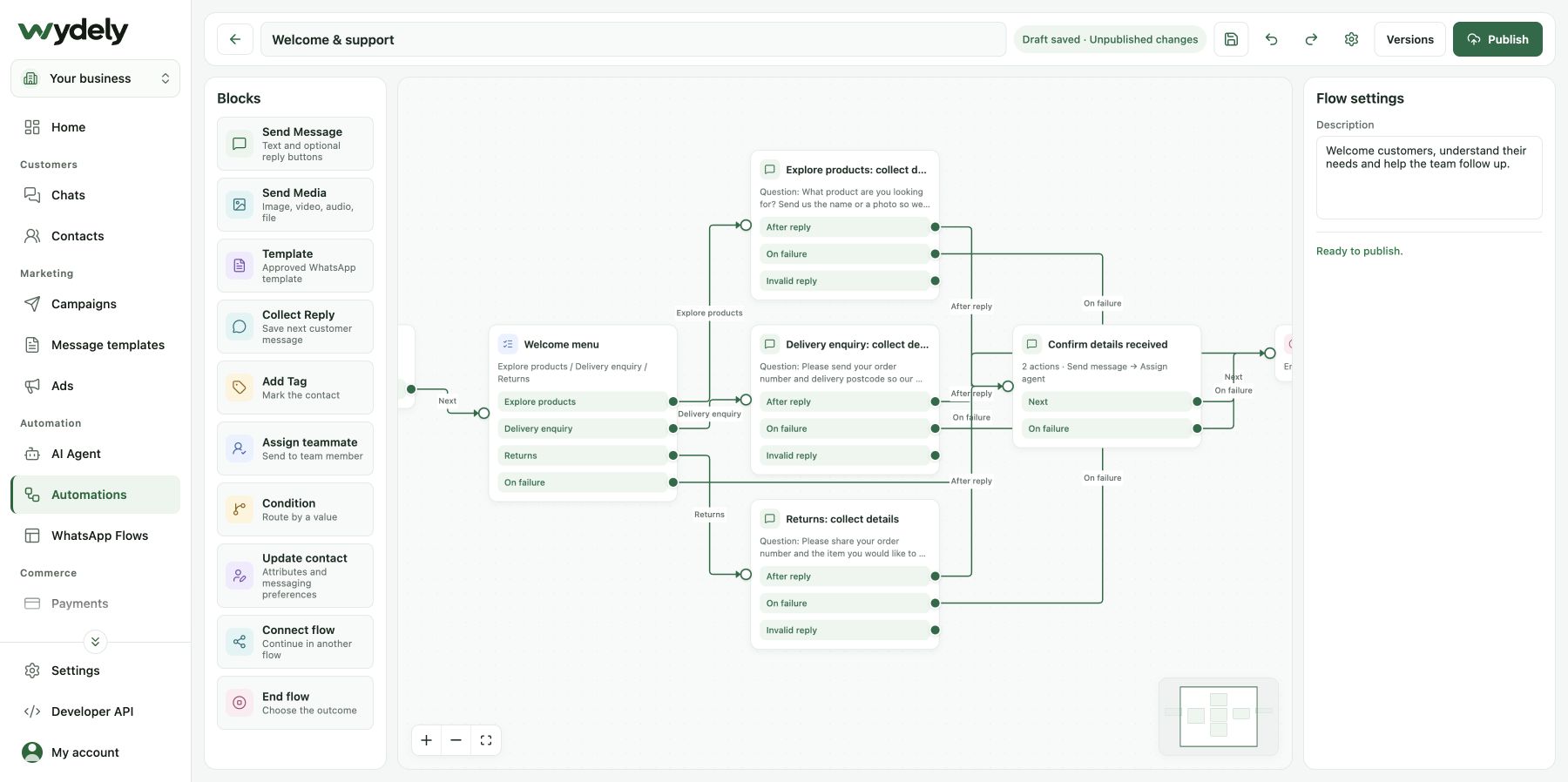
Give common enquiries a repeatable opening while keeping a person within reach.
Arrange messages, media, templates and connected branches on a visual canvas. Start from an available example or your own process.
Collect a customer reply and save the relevant detail to a contact field. Route the next step using the paths you configure.
Add a tag, update contact context or assign a teammate. Make the handoff and unanswered paths part of the conversation design.
Configure the welcome, reply buttons and the path that follows each answer. Include unexpected replies and unanswered questions in the design.
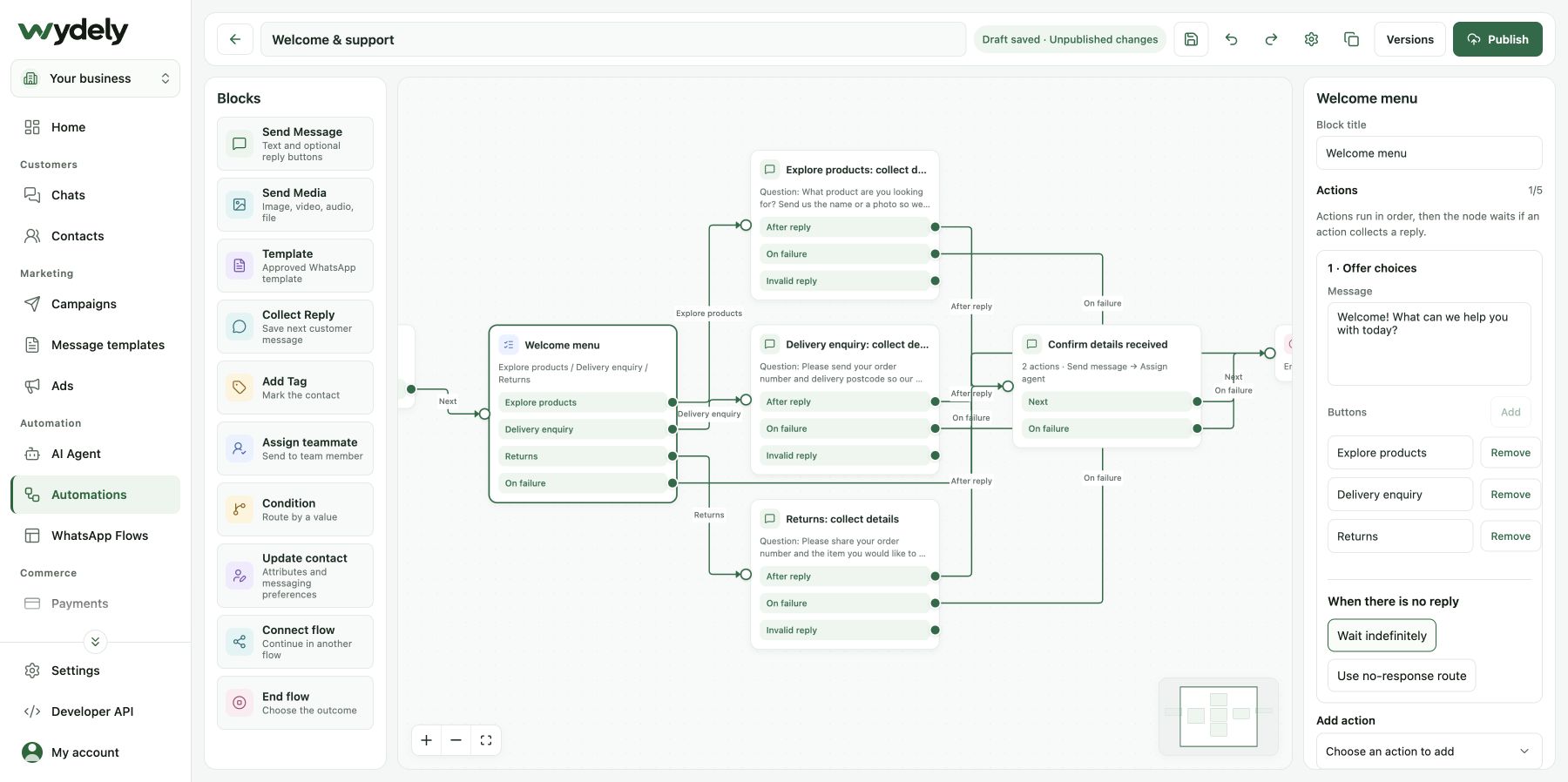
An example process for a team that handles product, delivery and return questions.
Review your WhatsApp Business account, number and the access needed for the flow.
Start from an available starter or create a focused welcome with clear reply choices.
Arrange messages and conditions. Decide what details to collect and which contact fields should hold them.
Check valid answers, unexpected replies, missing responses and the path to a teammate.
Review the setup before publishing, then monitor the conversations and refine the flow.
Bring your opening question, the details you need and the person who should handle each kind of enquiry. We can work through the branches with you.
Review your requirementsReview the details before choosing your workflow.
Explore plansThe visual chatbot follows the messages, choices and conditions you configure. AI assistance uses business knowledge to help prepare answers. Choose based on the customer task and test the behavior you expect.
A flow can collect an order reference or booking preference. A live order lookup or confirmed appointment needs the appropriate business data and a supported integration. Review that exact journey in your demo.
The builder includes teammate assignment and contact-context actions. Configure the destination and make sure the team has the right access and a process for responding.
Walk through a real enquiry, its branches and the human next step with Wydely.
See how Wydely can support your team’s messaging workflow. Review account setup and requirements in a demo.

Your WhatsApp workspace
Every hello deserves a next step.
One workspace for the conversations your team handles every day.
Let’s explore it together
Tell us what your team handles today. We’ll explore the relevant tools and setup together.
Messaging depends on account eligibility, approved templates and applicable WhatsApp policies.