See the conversation
Work from a shared WhatsApp inbox with message history and customer details close at hand.
Keep customer conversations together. Search and filter the chat list, reply from the message thread, and review the assigned agent, contact details and notes beside the conversation.
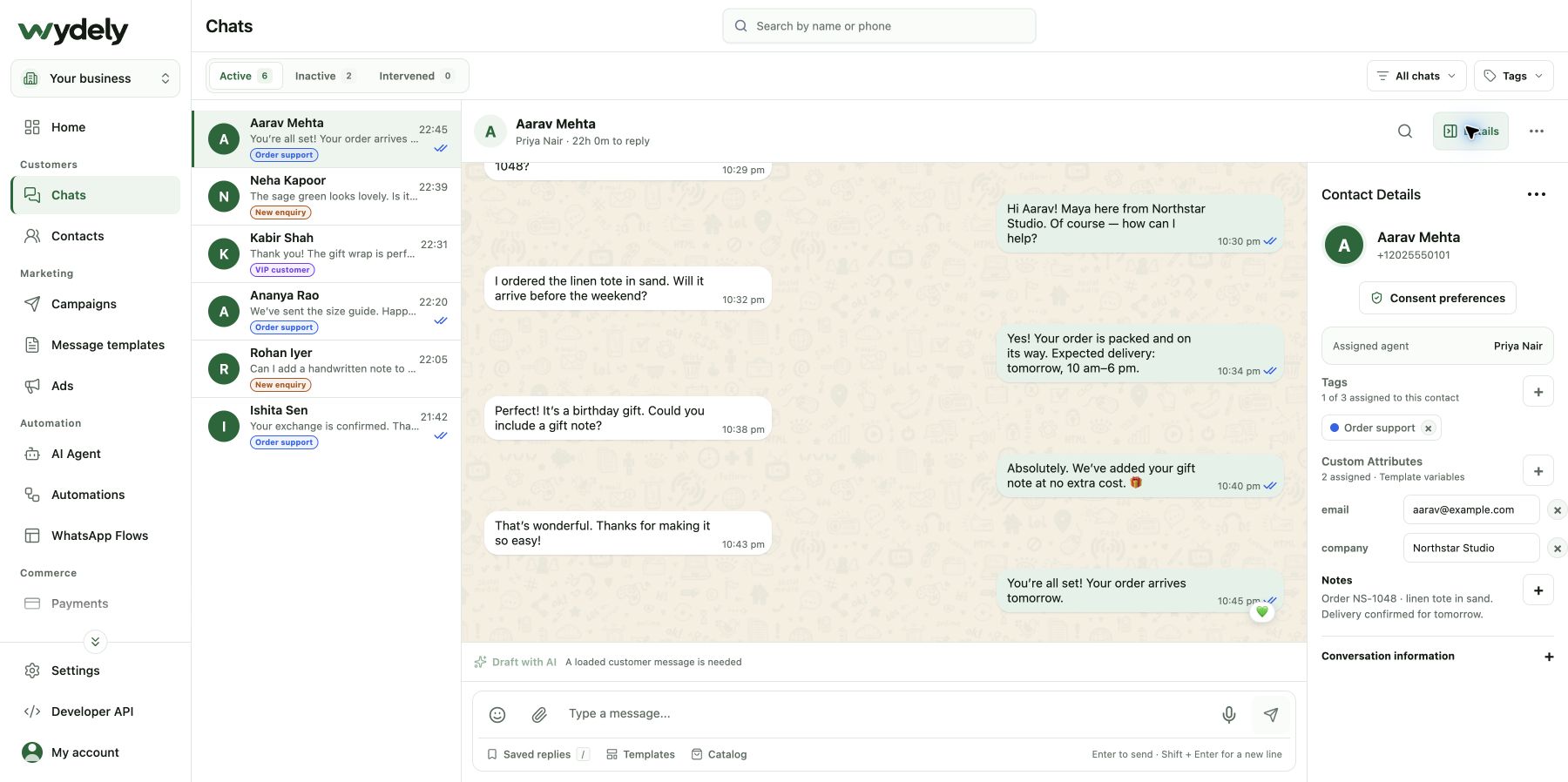
A customer should not need to explain the same enquiry again just because someone else picks up the conversation.
Work from a shared WhatsApp inbox with message history and customer details close at hand.
Assign conversations to teammates so the next reply has a clear person responsible for it.
Use private notes and contact information to prepare the next teammate for a useful follow-up.
An example of how a sales or support team can work together on one conversation.
A customer asks about a product or service on WhatsApp. Review their message and the available contact history.
Choose the teammate who can help. Add the relevant context in a private note or contact field.
Continue the conversation from the shared workspace and keep the customer’s next step clear.
Review your team size, conversation access and reply process in a walkthrough. We can help map the inbox to your day-to-day responsibilities.
Review your requirementsReview the details before choosing your workflow.
Explore plansWydely includes team access and conversation assignment. The number of agents and their available actions depend on your plan and permissions.
Private notes are for your team’s context. They are separate from replies sent to the customer.
WhatsApp’s customer service window and template requirements still apply. Use an approved template when required and respect the customer’s consent.
See how enquiries, assignment and follow-up fit your team’s workflow.
See how Wydely can support your team’s messaging workflow. Review account setup and requirements in a demo.

Your WhatsApp workspace
Every hello deserves a next step.
One workspace for the conversations your team handles every day.
Let’s explore it together
Tell us what your team handles today. We’ll explore the relevant tools and setup together.
Messaging depends on account eligibility, approved templates and applicable WhatsApp policies.