
Collect appointment preferences
Ask for the service category and a preferred time. Your team or scheduling system confirms availability before the appointment is booked.
WhatsApp FlowsWhatsApp for Healthcare
Help people ask about appointments, clinic information and the next administrative step. Give your front-desk team a shared view of the conversation and a clear person to follow up.
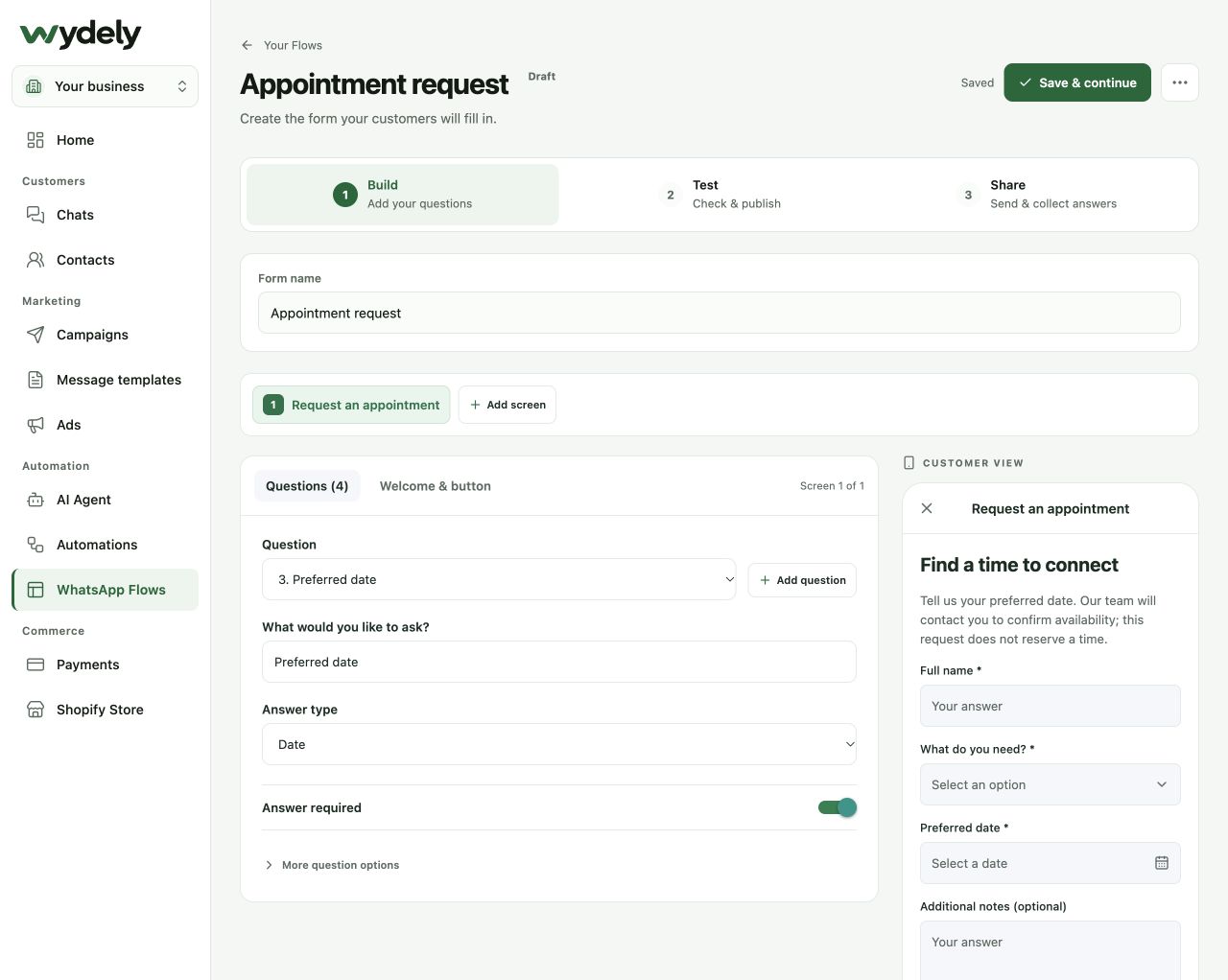
Start with the Appointment request Flow. Collect the service category and preferred date in WhatsApp, then ask a front-desk teammate to check availability and confirm the appointment.
Choose your first use case
Connect a specific customer need to the tool your team will use.
Ask for the service category and a preferred time. Your team or scheduling system confirms availability before the appointment is booked.
WhatsApp FlowsAssign incoming questions to the appropriate teammate. Keep administrative notes private and avoid collecting clinical detail unnecessarily.
Shared inboxUse reviewed templates for agreed appointment information. Automated reminders need a connected scheduling workflow with tested recipient and time data.
Message templatesA practical starting point
Example workflow · configure and test it for your team before using it with customers.
Collect the appointment category and preferred time, rather than a medical history.
Assign a teammate to check the schedule and explain the next administrative step.
Send the confirmed appointment details after the team or scheduling system has approved them.
Before you start
A form can collect an appointment preference. Availability must be checked and confirmed by your team or connected scheduling system before a booking is communicated.
Use these examples for administrative enquiries and coordination. Clinical advice, diagnosis and urgent care questions should follow the organization’s clinical and emergency processes.
Keep exploring
Make the next step concrete
Show us how your team handles enquiries today. Explore the account requirements and the tools that fit your next step.
See how Wydely can support your team’s messaging workflow. Review account setup and requirements in a demo.

Your WhatsApp workspace
Every hello deserves a next step.
One workspace for the conversations your team handles every day.
Let’s explore it together
Tell us what your team handles today. We’ll explore the relevant tools and setup together.
Messaging depends on account eligibility, approved templates and applicable WhatsApp policies.