
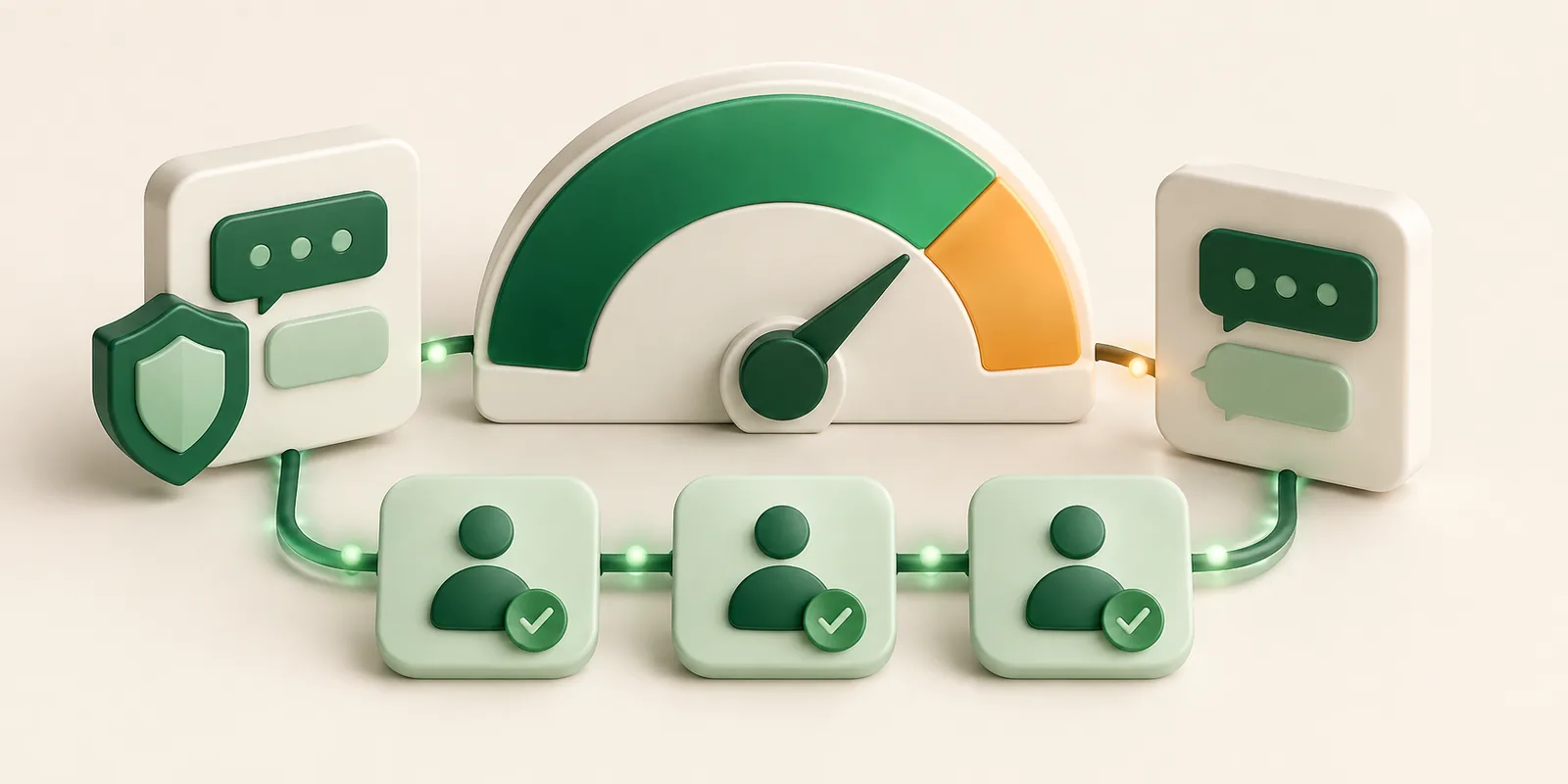
Keep your WhatsApp quality score healthy by monitoring user feedback, reducing unwanted messages, and acting quickly when your account enters the new Amber Zone.
Meta uses quality signals to protect users from unwanted messages. If your sender quality drops, your business may face lower message limits, delivery issues, or account restrictions. Understanding the WhatsApp Quality Score and the new Amber Zone can help you spot warning signs early and avoid getting throttled.
Quick Answer: How do you avoid WhatsApp delivery throttling?
Meta has cut the block-rate threshold that triggers number throttling from 1% to 0.5% and now sends an amber zone warning through the API before a number is throttled. Maintaining high delivery rates requires strict double opt-in consent, automated suppression lists, and real-time list hygiene.
What Changed: Block Rate Threshold Cut From 1% to 0.5%
Previously, businesses could maintain an acceptable account standing even if up to 1 out of every 100 message recipients blocked or reported their number. Under Meta's updated policy enforcement, that safety margin has been reduced by half:
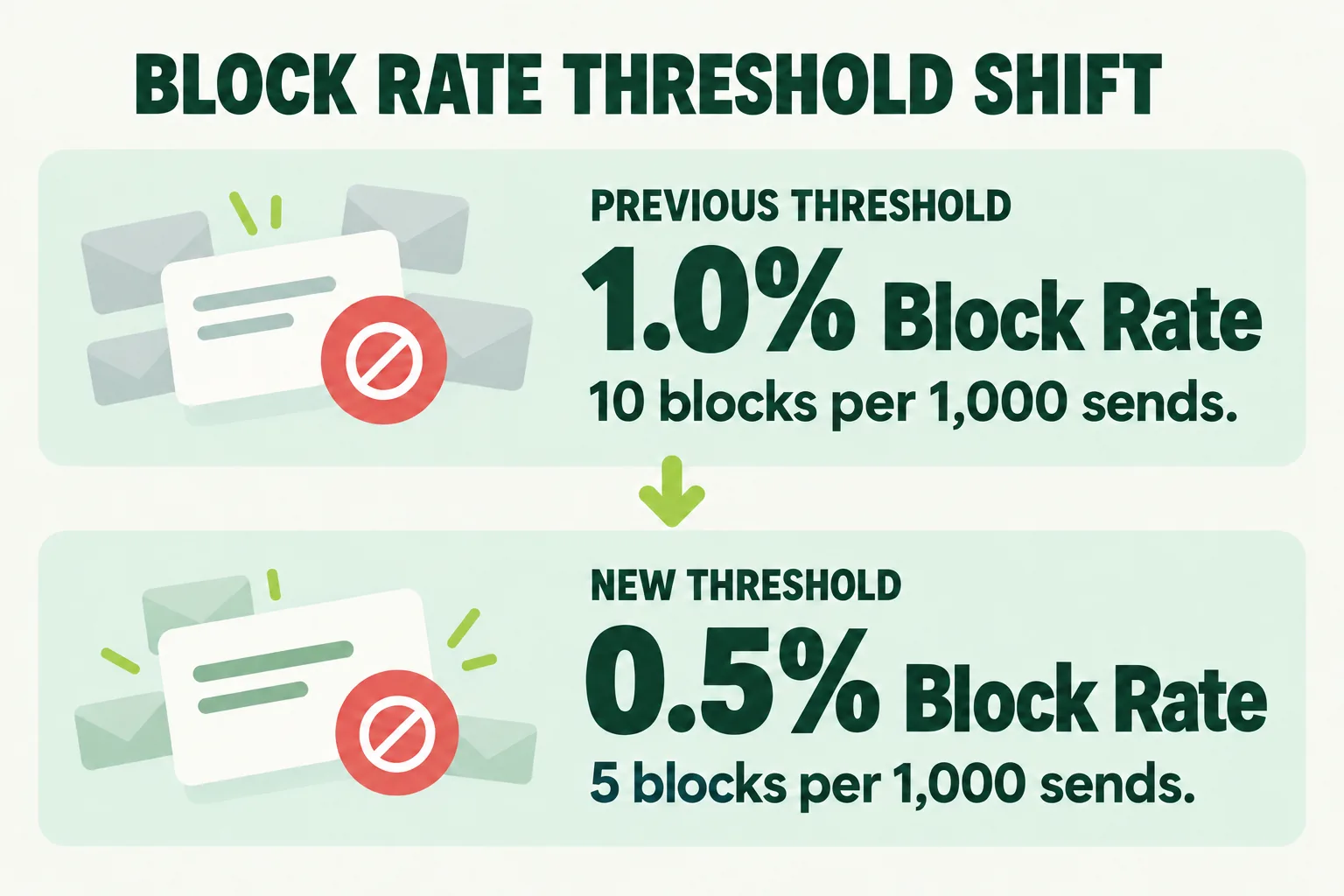
- Lower Tolerance for Spam: Just 5 blocks or spam reports per 1,000 delivered messages can trigger account health warnings.
- Automatic Tier Downgrades: If the limit is exceeded, your account can move from Green (High) to Amber (Medium) or Red (Low). This can lower daily message limits or restrict marketing templates.
How to Read an Amber Zone Warning
The "Amber Zone" (Medium Quality / Yellow status) acts as an early warning system dispatched via Meta's WhatsApp Business Platform API webhooks before your business phone number is restricted or flagged.
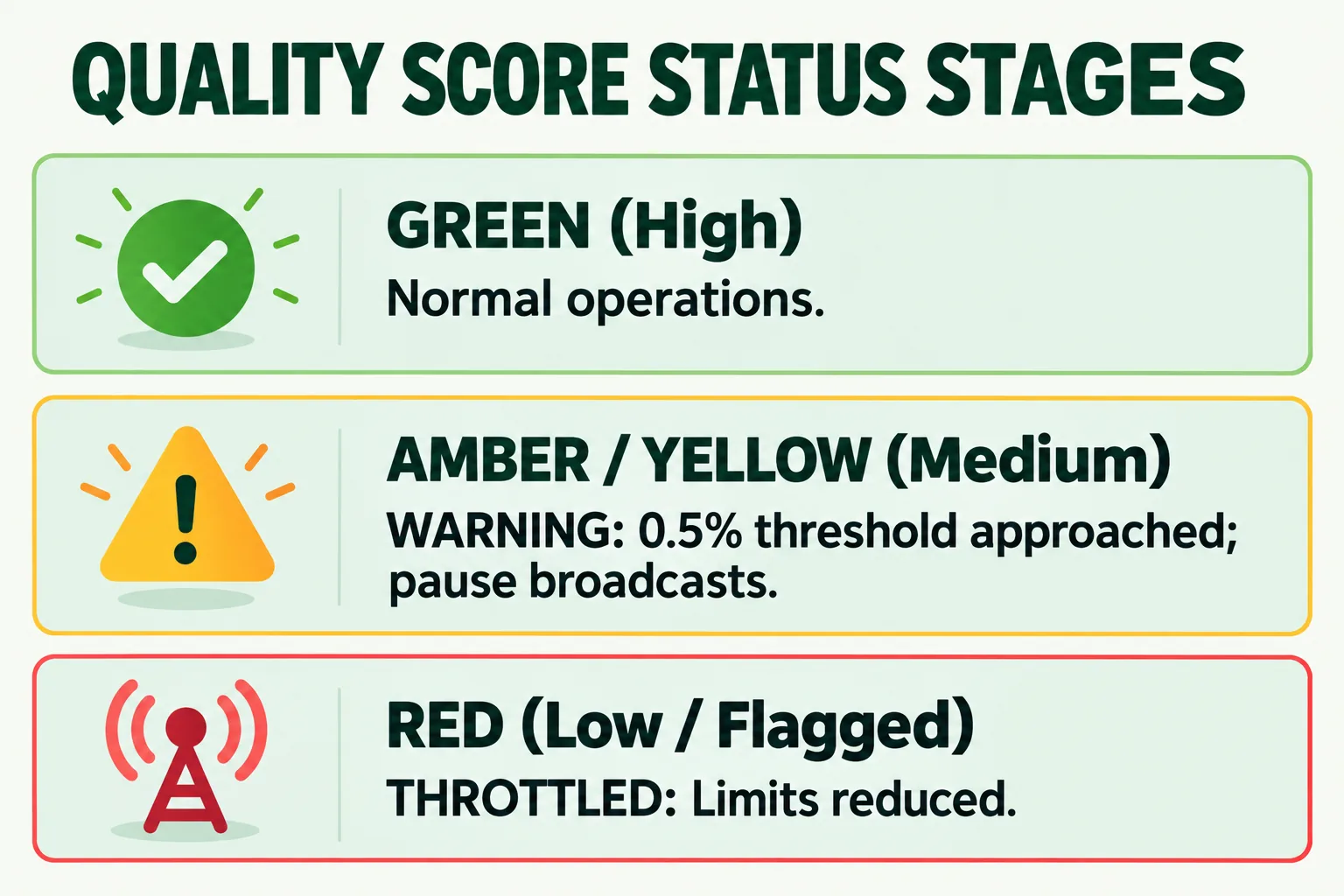
- What it Means: An Amber status indicates that recent broadcasts generated elevated negative signals (blocks, reports, or unread deletes) relative to total volume.
- Immediate System Action: While in the Amber state, messaging limits remain active, but tier upgrades are paused. If negative feedback continues, Meta automatically shifts the status to Red (Flagged), cutting daily throughput and restricting template approvals.
- The Recovery Window: When an Amber warning fires, you have a short window to pause active broadcasts, clear inactive contacts, and send non-promotional, high-engagement messages to restore status to Green.
Five List Hygiene Habits That Protect Your Quality Score
To stay well below the 0.5% block threshold, implement these essential messaging hygiene habits:
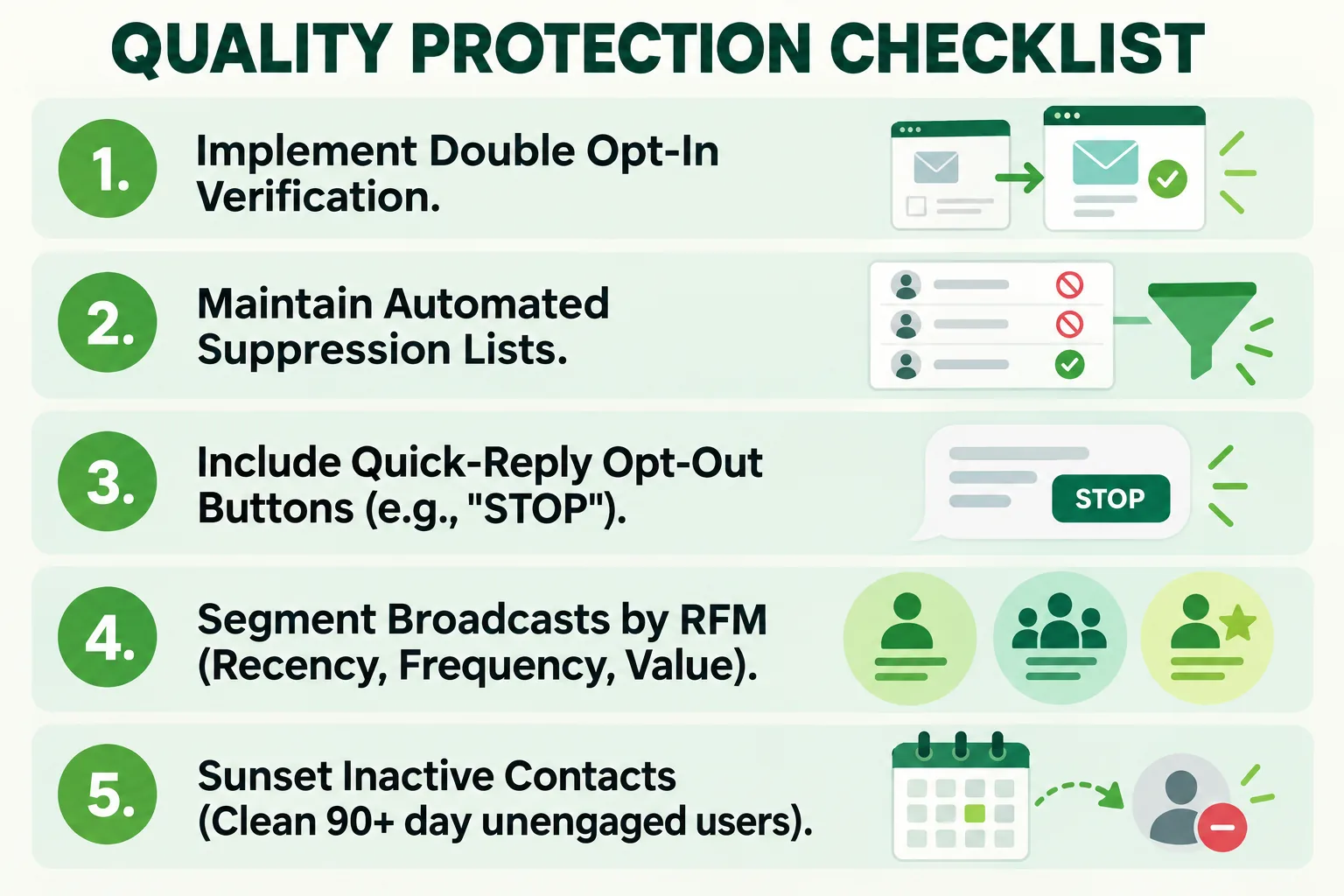
1. Double Opt-In
Never import unverified contact lists. Require explicit consent via dynamic web forms, SMS OTP verification, or post-purchase confirmation checkboxes to ensure subscribers expect your messages.
2. Suppression List Discipline
Ensure that any customer who requests an opt-out is instantly suppressed across all future broadcast workflows.
- Keyword Opt-Outs: Configure automated webhook triggers that instantly add users who reply "STOP", "UNSUBSCRIBE", or "REMOVE" to an absolute suppression list.
- Interactive Opt-Out Buttons: Include a clear quick-reply button labeled "Opt-Out" directly in promotional templates. Providing a simple unsubscribe button prevents users from tapping Meta's native "Block / Report Spam" button.
3. Audience Segmentation & Frequency Caps
Avoid blasting your entire database with general promotional offers. Segment campaigns using purchase history, product interest, and engagement frequency to keep click-through rates high.
4. Sunsetting Inactive Contacts
Regularly prune contacts who have not opened or interacted with your WhatsApp messages in the last 60 to 90 days. Unengaged recipients are significantly more likely to block unexpected broadcasts.
5. Conversational Pacing & Personalization
Use variable parameters (e.g., first name, last order date, personalized recommendations) to ensure every outgoing message delivers contextually relevant value.
How Wydely Monitors Quality Score for Clients
Wydely provides real-time account health protections built directly into the campaign dashboard:
- Automated Webhook Health Guards: Our system listens for real-time Meta quality updates. If your number enters the Amber Zone, active broadcasts pause automatically to protect your sender reputation.
- Instant Unsubscribe Routing: Built-in multi-agent support automatically processes opt-out keywords and syncs them across your CRM ecosystem. See our Features Page for details.
- Interactive Chatbot Safeguards: Deploy conversational qualification flows using our guide on Interactive Chatbot Flows to collect clean, first-party opt-in consent automatically.
FAQs: WhatsApp Quality Score
Q1: How long does it take to recover from an Amber or Red quality rating?
It typically takes 7 days of low-block, high-engagement messaging (such as transactional updates or support replies) for Meta's rolling algorithm to restore a number back to Green status.
Q2: Does sending interactive media (images, catalog cards, videos) impact quality scores?
Media format does not harm quality scores directly, but irrelevant or heavy media sent to unsegmented lists drives higher block rates. Always align rich media content with user intent.