
The Wydely platform
Wydely WhatsApp communication features
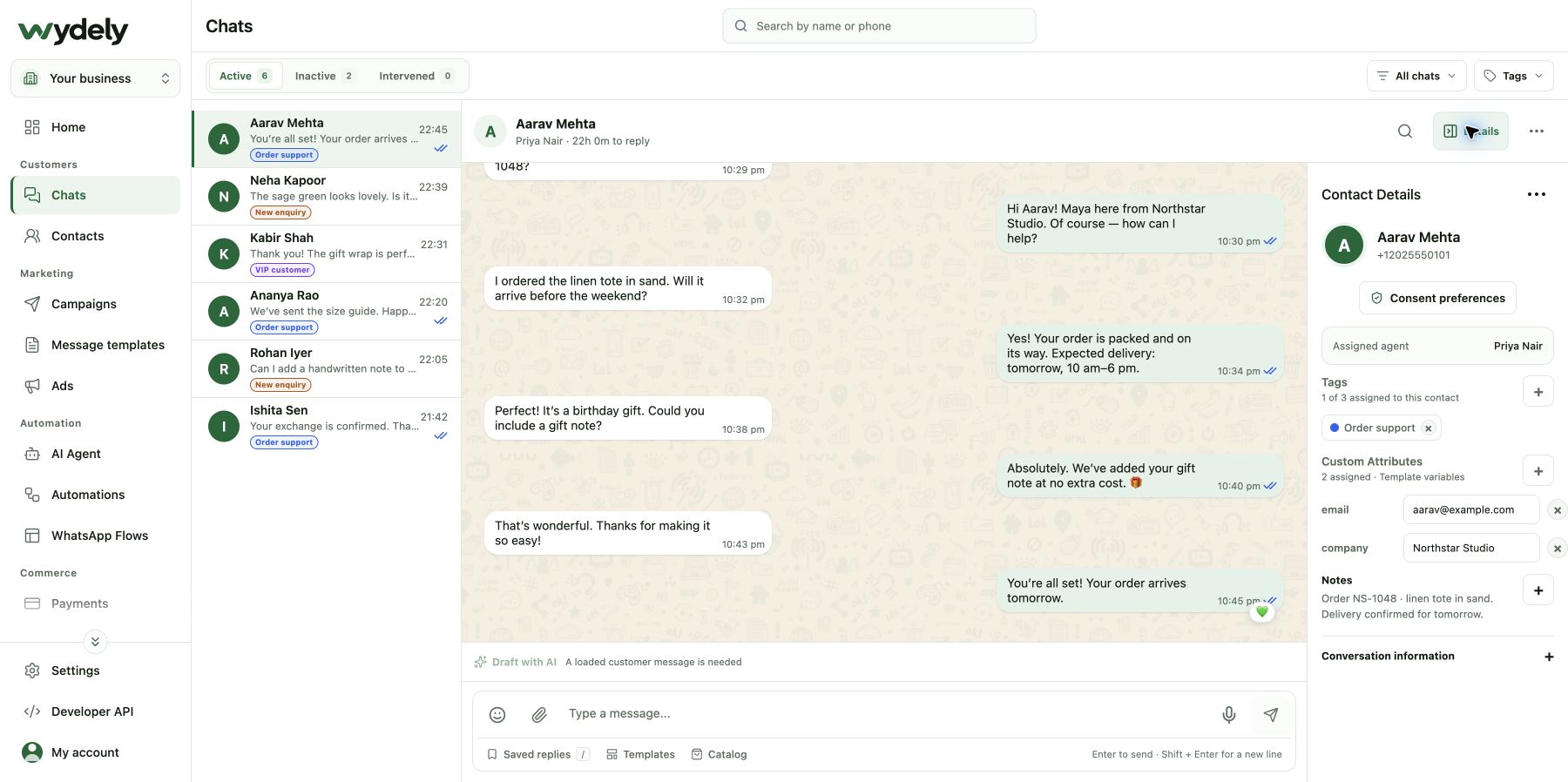
Wydely brings shared conversations, contacts, campaigns and automation into a WhatsApp customer communication workspace.
Find the tools for your next step.
Shared Team Inbox
Assign conversations, add private notes and reply with your team from one workspace.
Explore Shared Team InboxContacts & Segmentation
Organize contacts with tags and attributes, and manage opt-ins and opt-outs.
Explore Contacts & SegmentationCampaigns & Broadcasts
Select opted-in audiences, personalize approved templates and schedule campaigns.
Explore Campaigns & BroadcastsMessage Templates
Prepare reusable text and rich-media messages and follow their approval status.
Explore Message TemplatesClick-to-WhatsApp Ads
Bring ad enquiries into WhatsApp conversations and organize the leads your team receives.
Explore Click-to-WhatsApp AdsNo-Code Chatbot
Build and test conversation flows for common questions, lead capture and follow-ups.
Explore No-Code ChatbotWhatsApp Flows
Collect structured responses through supported forms inside a WhatsApp conversation.
Explore WhatsApp FlowsAI Assistant
Configure replies around your approved business knowledge and human handoff rules.
Explore AI AssistantWhatsApp Payments
Explore payment links and order updates for your supported market and account setup.
Explore WhatsApp PaymentsShopify Integration
Connect your store and review supported order and customer messaging workflows.
Explore Shopify IntegrationDeveloper API
Connect business events with messaging through your software and integration setup.
Explore Developer APICampaign Reporting
Review sent, delivered, read and failed messages alongside recipient history.
Explore Campaign ReportingBusiness Verification Guidance
Prepare account requirements and understand the business verification process.
Explore Business Verification GuidanceFeature access depends on your plan and account setup. Each product page explains the workflow and its requirements. Compare the included features and capacity before choosing a plan.
Unsure where to begin?
Start with the setup guide, or show us the process you want to improve.