
Guide product discovery
Share catalog items and answer questions about the collection. Keep availability and product information current in the source your team uses.
WhatsApp catalogWhatsApp for Lifestyle & Fashion
Help customers explore styles, ask about sizing and hear about collections that interest them. Give your team the context to continue each conversation with care.
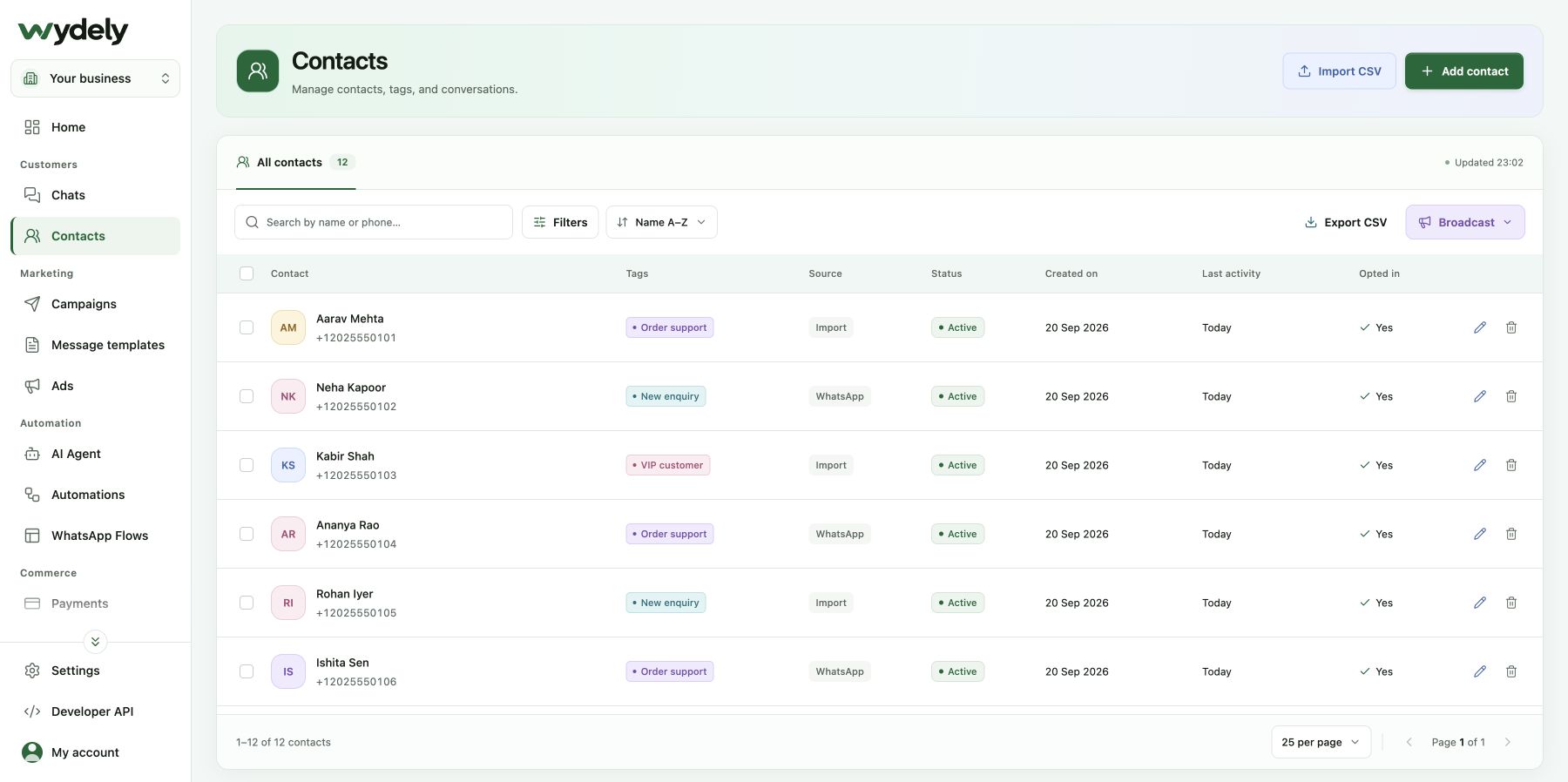
Use contact tags and attributes to organize the details customers choose to share. Build a relevant audience from those interests instead of sending the same collection to everyone.
Choose your first use case
Connect a specific customer need to the tool your team will use.
Share catalog items and answer questions about the collection. Keep availability and product information current in the source your team uses.
WhatsApp catalogBring in a teammate who can answer fit, material or exchange questions. Conversation history helps the customer avoid repeating the same details.
Shared inboxPrepare an approved template for opted-in customers, personalize its variables and review the message before you send or schedule it.
WhatsApp campaignsA practical starting point
Example workflow · configure and test it for your team before using it with customers.
A customer asks about fit. Capture the product or collection they are considering.
Assign a teammate, share the relevant size information and note any promised follow-up.
If they opt in, tag the interest for a future collection update. Keep promotional messages separate from service replies.
Before you start
Campaign templates can use variables, while tags and contact attributes help organize audiences. Preview the values and review opt-in before scheduling.
Use the shared inbox to assign a conversation to a teammate and keep private team notes beside the customer history.
Keep exploring
Make the next step concrete
Show us how your team handles enquiries today. Explore the account requirements and the tools that fit your next step.
See how Wydely can support your team’s messaging workflow. Review account setup and requirements in a demo.

Your WhatsApp workspace
Every hello deserves a next step.
One workspace for the conversations your team handles every day.
Let’s explore it together
Tell us what your team handles today. We’ll explore the relevant tools and setup together.
Messaging depends on account eligibility, approved templates and applicable WhatsApp policies.