Start a relevant conversation
Prepare an opted-in audience, select an approved template and review the campaign before sending.
Bring campaigns, customer chats and no-code automation together around your business number. Give your team the contacts, messages and follow-up context they need to keep the journey moving.
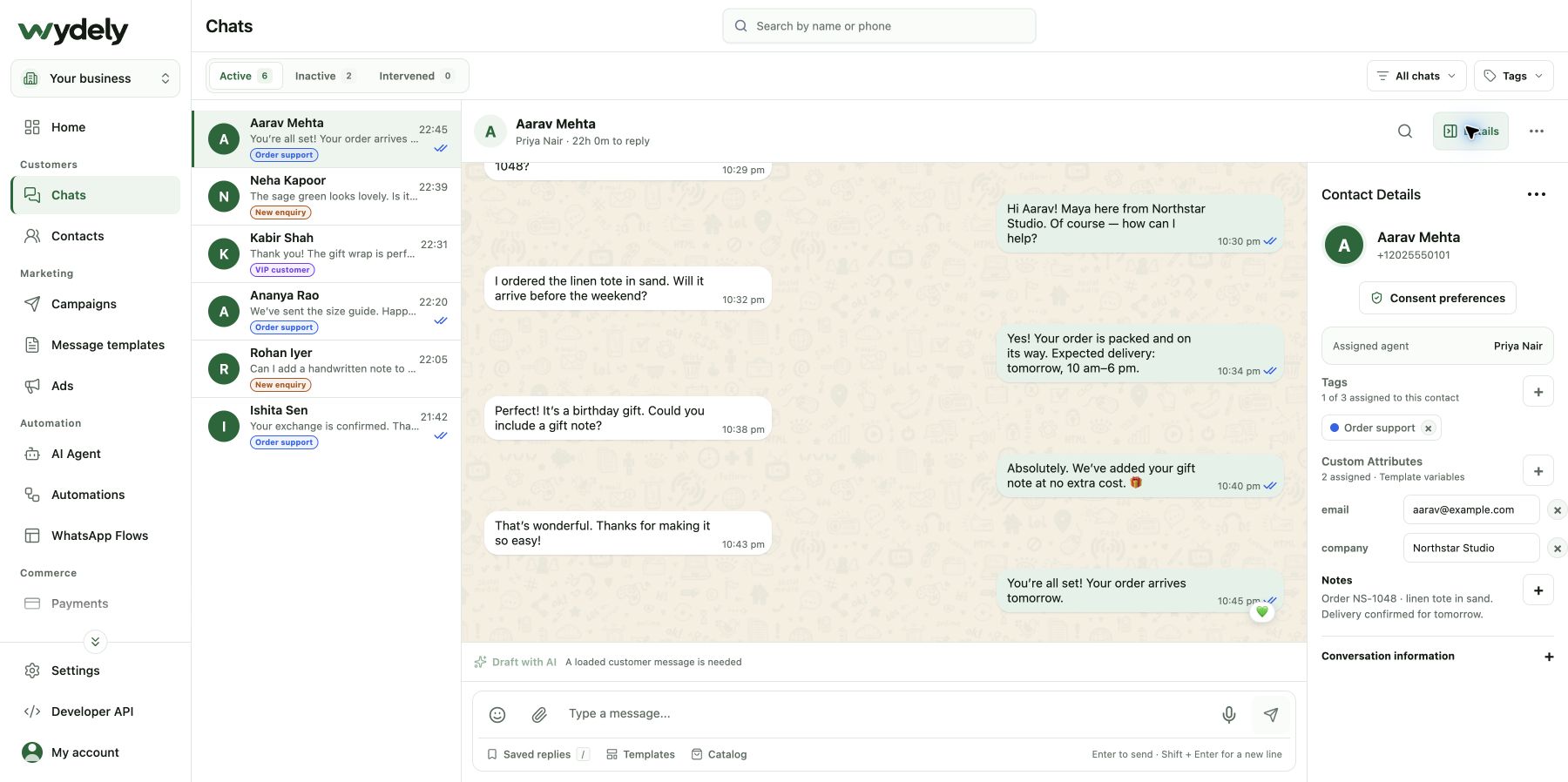
Use the connected workspace to plan outreach, continue customer replies and keep the next step clear.
Prepare an opted-in audience, select an approved template and review the campaign before sending.
Work from a shared inbox, assign the conversation and keep customer details and private notes close to the reply.
Use the visual builder to offer choices, collect details and route a customer to the right next step.
Choose the customer task first, then the feature that serves it.
Prepare opted-in outreach and reusable customer updates.
Continue replies with assignment, customer history and organized contact information.
Use a message-by-message journey or a structured form depending on what the customer needs to do.
The setup journey depends on your existing WhatsApp account and any reviews the account requires.
Confirm your business details, number and access to the relevant Meta business assets.
Work through the supported onboarding path for a new or existing WhatsApp Business Account.
Check account readiness, templates, recipient consent and team access. Test the workflow before sending to customers.
Bring your number, current WhatsApp setup and first use case. We can review the account requirements and map the practical setup path.
Review your requirementsReview the details before choosing your workflow.
Explore plansThe supported path depends on how the number is currently used and the account’s eligibility. Bring the current number setup to the walkthrough so we can review the available onboarding options.
No. WhatsApp account limits, template requirements and the customer service window still apply. Campaign capacity also depends on your Wydely plan and available credits.
WhatsApp Business API connects your business with WhatsApp messaging. Wydely’s Developer API lets your own software use supported Wydely resources with project credentials. They serve different parts of the workflow.
See the workspace and review the WhatsApp account setup your business needs.
See how Wydely can support your team’s messaging workflow. Review account setup and requirements in a demo.

Your WhatsApp workspace
Every hello deserves a next step.
One workspace for the conversations your team handles every day.
Let’s explore it together
Tell us what your team handles today. We’ll explore the relevant tools and setup together.
Messaging depends on account eligibility, approved templates and applicable WhatsApp policies.